EXT-USBC2XI-100M: Dual-Host USB 3.2 Extender Overview
Extends USB 3.2 Gen 1 (5Gbps) 100m/328ft over one CAT6a F/FTP cable, with USB-C and USB-B host inputs, RS-232, FSYNC and 24V PoC on the same link.

 EXT-USB3100M
USB 3.0 Extender Over Shielded Cat6A 100M HDBaseT
5Gbps USB Extension to 328ft — RS-232, FSYNC & PoC for Pro AV and Industrial Installs
Product page →
The EXT-USB3100M is a transmitter and receiver pair that extends USB 3.0 at up to 5Gbps as far as 100m / 328ft over one shielded Cat6A (F/FTP) cable using HDBaseT. The receiver has four USB-A ports. The same cable also carries RS-232, FSYNC frame sync and bi-directional 24V Power over Cable. It is built for professional AV integrators who keep the host PC in a central rack. Typical rooms are corporate conference rooms, lecture halls, healthcare suites and broadcast facilities, where cameras, storage and touch panels sit well past the 5-meter USB limit.
Applies to: EXT-USB3100M USB 3.0 Extender Over Shielded Cat6A 100M HDBaseT
The transmitter connects to the PC or other host through its USB HOST port, a USB-B 9-pin female connector. One shielded Cat6A run of up to 100m goes from HDBT OUT on the transmitter to HDBT IN on the receiver. At the receiver, four USB-A 9-pin female ports take the peripherals. For example, a USB camera, USB storage, a touch panel and a USB hub can share them. RS-232 control and FSYNC camera sync travel on the same cable. The extender is backward compatible with USB 2.0 and USB 1.1 devices.
Use one shielded Cat6A (F/FTP) cable from HDBT OUT to HDBT IN, up to 100m / 328ft. The specification gives its distance on shielded Cat6A (F/FTP) only. That one cable carries USB 3.0, RS-232, FSYNC and 24V power together. If no USB connection is detected, check this cable first. It must run HDBT OUT to HDBT IN, and it must be shielded F/FTP Cat6A.
Yes, mounting hardware is in the box. The box holds:
Both units are metal enclosures measuring 85mm (W) × 100mm (D) × 25.5mm (H).
The receiver takes four USB-A devices. Ports 1 and 2 supply up to 5V/1.5A each. Ports 3 and 4 supply up to 5V/1A each. Put a power-hungry device such as a USB camera on port 1 or 2. Ports 3 and 4 suit lighter loads such as a touch panel or hub. All four ports share the 5Gbps bandwidth. If a device is not recognized on port 3 or 4, move it to port 1 or 2.
No. The extender supports bi-directional 24V Power over Cable (PoC), so one power supply runs the system from either the transmitter or the receiver end. The supplied adapter takes AC 100–240V 50/60Hz and outputs DC 24V/2A.
Each unit has one 4-pin 3.5mm Phoenix block shared by two signals. Three pins carry RS-232, which passes control system commands through the link to the device at the other end. Set the baud rate and pin configuration to match the connected control system. The fourth pin carries FSYNC, the frame synchronization signal used by industrial machine-vision and broadcast cameras. It passes from the transmitter to the receiver at a default level of 3.3V. If you are not synchronizing cameras, leave FSYNC unused.
No drivers or software are needed. The extender has hardware acceleration for isochronous transfers, used by cameras, and bulk transfers, used by storage. For firmware updates, connect a PC to the USB-C SERVICE port on the transmitter or the receiver. Contact KanexPro support for the firmware files and instructions.
| USB Protocol | USB 3.0 |
| Transfer Rate | Up to 5Gbps |
| Network Bandwidth | 10Gbps |
| Transmission Distance | 100m / 328ft over shielded Cat6A (F/FTP) cable |
| Receiver USB ports | 4× USB-A — ports 1 & 2: 5V/1.5A; ports 3 & 4: 5V/1A |
| Power Supply | Input: AC 100–240V 50/60Hz · Output: DC 24V/2A |
| Power Consumption | PoC Power Supply: 40W Max |
| ESD Protection | IEC 61000-4-2: ±8kV Air-gap, ±4kV Contact |
| Dimensions | TX / RX: 85mm (W) × 100mm (D) × 25.5mm (H) |
| Operating Temp | 0°C – 40°C / 32°F – 104°F |
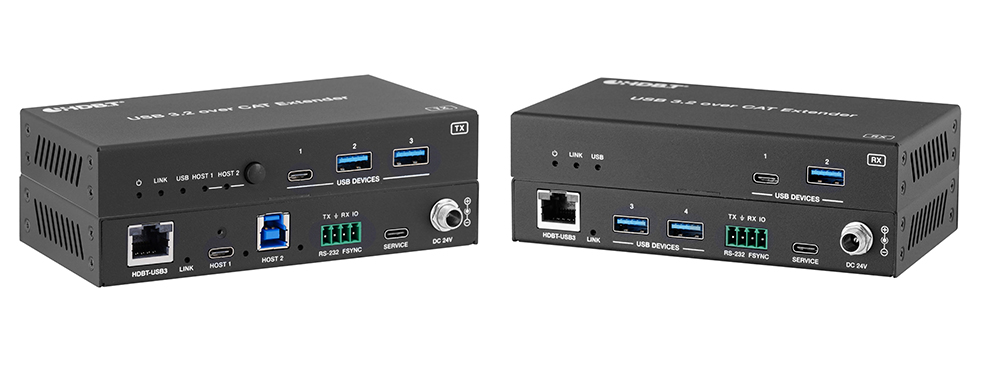
Extends USB 3.2 Gen 1 (5Gbps) 100m/328ft over one CAT6a F/FTP cable, with USB-C and USB-B host inputs, RS-232, FSYNC and 24V PoC on the same link.
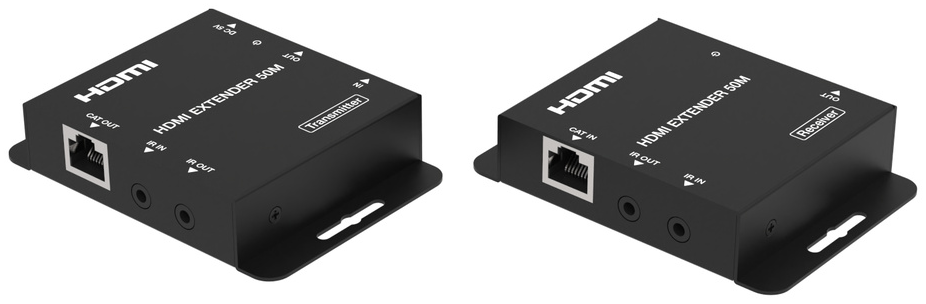
HDEXT50M sends 1080p@60Hz HDMI up to 50m/164ft over one CAT6/6a cable, with one-way PoC powering the receiver and bi-directional IR control.
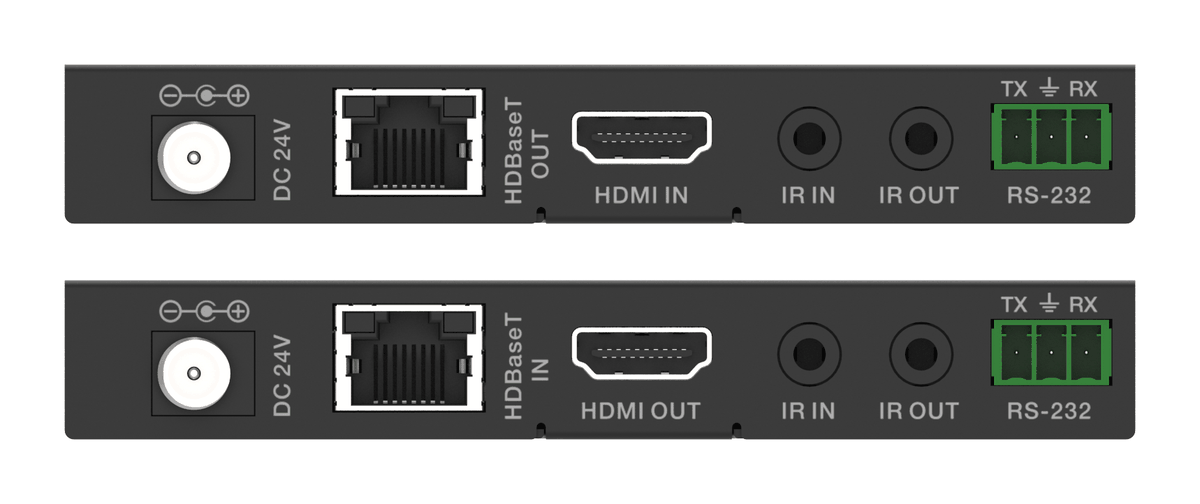
An HDBaseT kit that sends 18Gbps HDMI, IR and RS-232 over one CAT6, with one 24V adaptor at either end powering the transmitter and receiver.
KanexPro sells direct to dealers, resellers, installers and integrators, and through distribution. Whichever way you buy, the same engineers answer the phone.
The trade store: your own account, live stock, reordering, and a first look at new products.
Go to the trade store →Distribution and authorised resellers across the US and beyond.
See where to buy →Design help on extenders, matrix and AV over IP before you spec it.
Ask an engineer →