Downloading KanexPro software and firmware safely
How KanexPro checks firmware and software downloads, how to verify a file's SHA-256 fingerprint, what the Windows SmartScreen warning means, and…


KanexPro control processors are programmed using EasyAccomplish, KanexPro’s proprietary programming software. EasyAccomplish is available in three ways:
Scripts define what happens when events occur (button presses, schedule triggers, device feedback) and what commands are sent to controlled devices.
EasyAccomplish scripts are event-driven. Each script block defines:
Example structure:
ON BUTTON_PRESS keypad1 button1 SEND RS232 port1 "PWR ON\r" DELAY 2000 SEND RS232 port2 "INPUT 1\r" ENDRS-232 commands are hex or ASCII strings sent to a configured serial port. Each port must be configured with the correct baud rate, data bits, stop bits, and parity matching the controlled device.
Send TCP or UDP strings to controlled devices on the network:
SEND TCP 192.168.1.50 4001 "POWR0001\r\n"The processor maintains persistent TCP connections to frequently commanded devices to reduce latency.
IR commands are defined by carrier frequency and pulse/space timing. Pre-built IR databases for common devices are available in EasyAccomplish’s driver library. Custom IR codes can be learned via the IR learn port.
Relay outputs can be momentary (pulse) or latching (hold). Use momentary for projector screens or door locks; latching for power switching.
Group multiple commands into a macro and trigger it from a single button press or schedule event. Example “Presentation Mode” macro in EasyAccomplish:
EasyAccomplish includes a real-time clock scheduler for time-based events. Configure auto power-off at 6pm, morning startup sequences, or weekly recurring scenes without any external control system.
EasyAccomplish provides pre-built driver files for common AV brands (Samsung, LG, Sony, Epson, Extron, Biamp, QSC, etc.). Import a driver file to get a full command library for that device without manual programming. Contact support@kanexpro.com for driver requests.
How KanexPro checks firmware and software downloads, how to verify a file's SHA-256 fingerprint, what the Windows SmartScreen warning means, and…
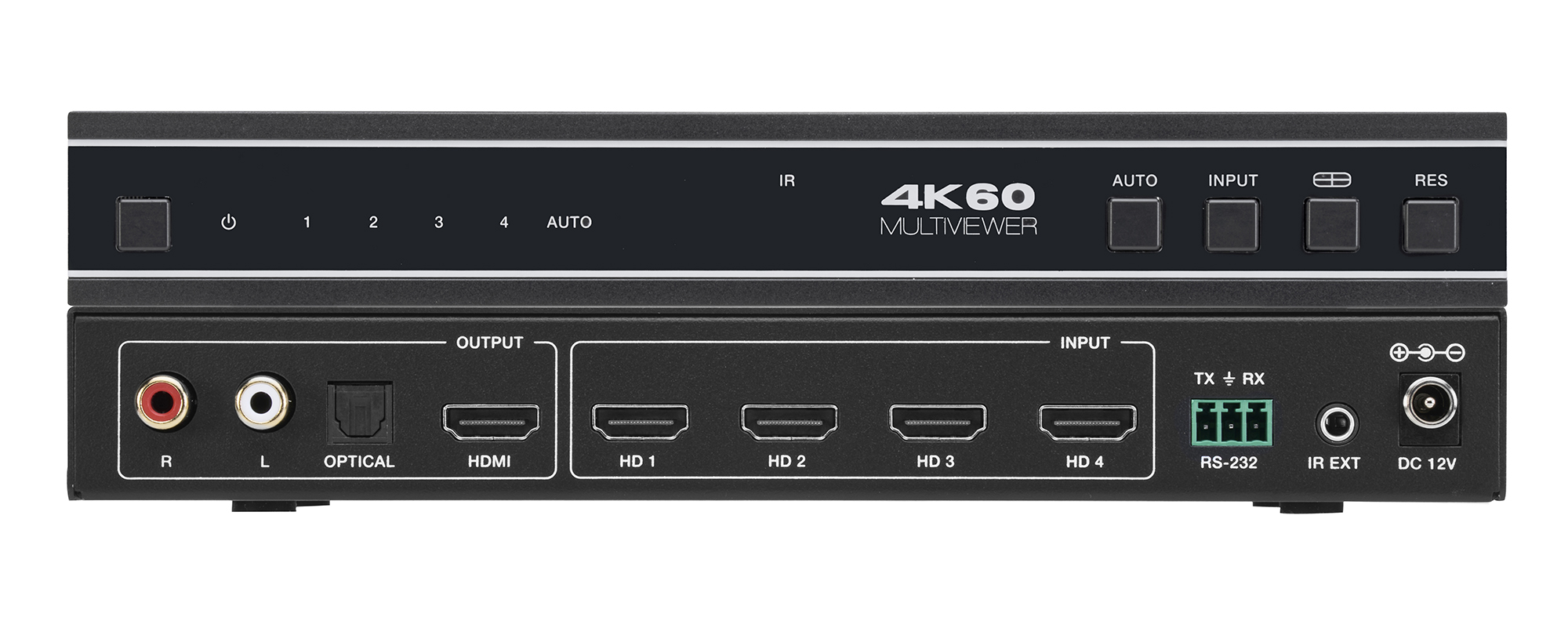
The VW-MVIEW4X1 zip holds Controller 1.0.11, firmware MCU V1.00.15 and scaler 2025-03-03, and both guides. All work over RS-232 at 115200 baud.

Boardrooms, conference rooms, campuses, lobbies — real-world deployment scenarios Corporate AV is among the most practical deployment target for…
KanexPro sells direct to dealers, resellers, installers and integrators, and through distribution. Whichever way you buy, the same engineers answer the phone.
The trade store: your own account, live stock, reordering, and a first look at new products.
Go to the trade store →Distribution and authorised resellers across the US and beyond.
See where to buy →Design help on extenders, matrix and AV over IP before you spec it.
Ask an engineer →