AUD-EARC-8K: eARC Audio Routing, Formats and EDID
The AUD-EARC-8K passes HDMI 2.1 video to the TV and sends audio to soundbar, amp, optical and L/R at once, with no decoding or downmixing.


Boardrooms, conference rooms, campuses, lobbies — real-world deployment scenarios
Corporate AV is among the most practical deployment target for KanexPro Dante products. Below are five common corporate scenarios with recommended products for each.
Scenario 1 — Boardroom with Dante-Enabled DSPChallenge: A boardroom has a Dante DSP (QSC, Biamp, BSS) for echo cancellation and mixing, but VC system and presentation sources output HDMI audio that needs to enter the Dante network.
Solution: AUD-DTE-HDMI extracts HDMI embedded audio from the VC system → Dante. AUD-DTE-USBC connects presenter laptop (USB-C) → Dante, driver-free. Both subscribe directly to DSP Dante input channels — no analog cable runs from table to rack.
Scenario 2 — Conference Room Ceiling SpeakersChallenge: Existing 70V/100V ceiling speakers need to be driven from a new Dante-capable AV system without replacing amplifier infrastructure.
Solution: AUD-DTE-2CHAMP (Hi-Z mode) receives Dante and drives the 70V ceiling speaker line directly. Replaces the analog amplifier with a Dante-native unit. Built-in DSP handles EQ — no separate processor required.
Scenario 3 — Multi-Room Corporate CampusChallenge: 20 meeting rooms, each with displays and ceiling speakers. Centralized audio routing needed without running analog cables between rooms.
Solution: One AUD-DTE-ECODE or AUD-DTE-HDMI per source. One AUD-DTE-2CHAMP per room. All share existing managed Ethernet infrastructure — no new audio cable runs. Campus-wide announcements routed in Dante Controller in seconds.
Scenario 4 — Lobby Background Music via BluetoothChallenge: Lobby needs background music from a receptionist’s phone or streaming device to ceiling speakers via existing Dante network.
Solution: AUD-DTE-BT at reception desk (PoE powered, no cable needed at desk). Any Bluetooth 5.1 device pairs and streams into Dante via APTX-HD. AUD-DTE-2CHAMP in rack drives 70V lobby ceiling speakers with auto standby.
Scenario 5 — Flex Matrix Pro + Dante PeripheralsChallenge: Large HQ uses a FLEX-PRO32X32 for video. Client wants audio from video sources to reach speaker zones without a separate audio matrix.
Solution: Each Flex Matrix Pro input card (HDMI/DP/CAT/SDI) extracts embedded audio as a Dante transmitter at the card level — no extra hardware. AUD-DTE-2CHAMP units per zone receive the Dante transmitter and drive local speakers. Video and audio co-route via matrix preset — one command moves both simultaneously.
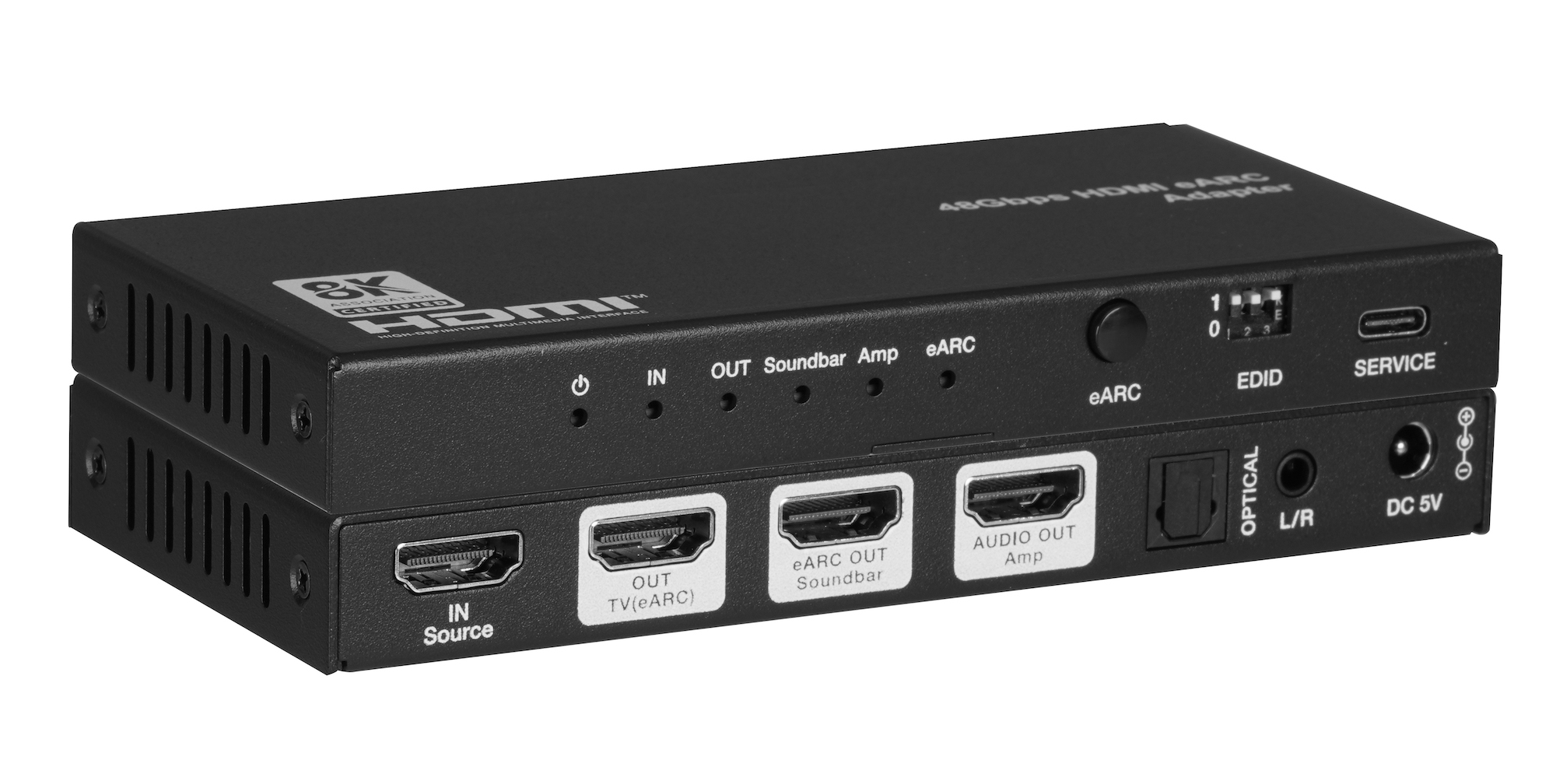
The AUD-EARC-8K passes HDMI 2.1 video to the TV and sends audio to soundbar, amp, optical and L/R at once, with no decoding or downmixing.
How KanexPro checks firmware and software downloads, how to verify a file's SHA-256 fingerprint, what the Windows SmartScreen warning means, and…
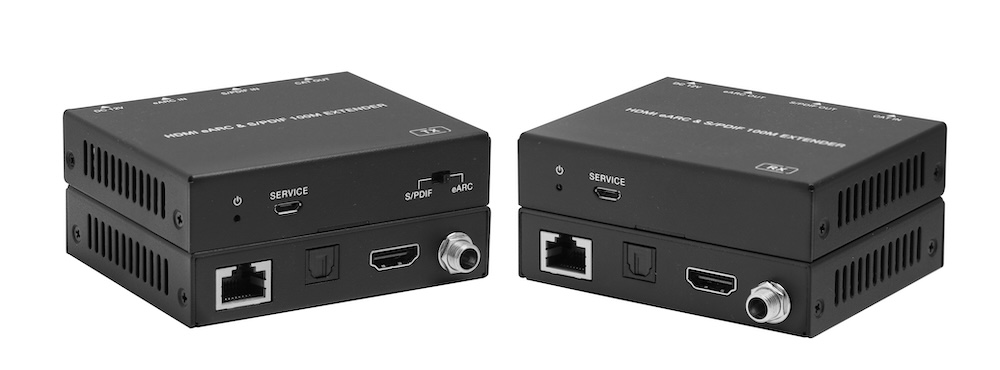
The AUD-EXT-EARC100M carries HDMI eARC or S/PDIF audio from a TV to a soundbar or AVR up to 100m/328ft over one CAT cable, powered from either end.
KanexPro sells direct to dealers, resellers, installers and integrators, and through distribution. Whichever way you buy, the same engineers answer the phone.
The trade store: your own account, live stock, reordering, and a first look at new products.
Go to the trade store →Distribution and authorised resellers across the US and beyond.
See where to buy →Design help on extenders, matrix and AV over IP before you spec it.
Ask an engineer →