AUD-DCODE-ANA: Decode Dolby Digital & DTS to Stereo Analog
It decodes Dolby Digital, DTS, DTS-ES 6.1 and PCM up to 192kHz from optical or coaxial input to stereo RCA and 3.5mm headphone outputs at once.


The HAECOAX4 lets an integrator add audio from a Toslink S/PDIF source or a 3.5mm analog stereo source to an HDMI signal chain, so a display, projector or recorder receives video and the chosen audio on one HDMI cable. It is built for conference rooms, classrooms and installations where an older audio source has to reach an HDMI display or recording chain. The audio goes into the HDMI stream that is already coming from the source.
Applies to: HAECOAX4 4K HDMI Audio Embedder
Connect an HDMI source such as a Blu-ray player, set-top box or PC to HDMI In. Connect an external audio source to Optical In (Toslink S/PDIF) or Line In (3.5mm stereo mini-jack). HDMI Out on the rear panel then feeds the display, projector or recorder. The selected audio is placed into the outgoing HDMI stream without changing video quality, frame rate or HDR metadata. The unit is HDMI 2.0b, HDCP 2.2 and DVI 1.0 compliant, and it supports CEC bypass, so CEC device control passes through transparently.
Plan on an active HDMI source. The HAECOAX4 embeds external audio into the HDMI signal coming from the source. If there is no output, the first documented check is that the HDMI source is active and its cable is seated. The product documentation does not describe an audio-only mode with no HDMI input. If a system needs audio at the displays when no HDMI source is connected, talk to KanexPro support before specifying this unit for that job.
A dial switch on the rear panel has three positions: HDMI, Optical and Line. In the HDMI position, the unit passes the source's own HDMI audio through unchanged, including High Bit Rate (HBR) audio. In the Optical position, it embeds the Toslink input. In the Line position, it embeds the 3.5mm analog input. Only one audio source is used at a time. Optical or Line audio replaces the HDMI audio and is not mixed with it, so the HAECOAX4 is not a mixer.
The optical input accepts LPCM 2CH, Dolby Digital 2/5.1CH and DTS 2/5.1CH. It does not support Dolby TrueHD or DTS-HD. The Line input accepts analog stereo 2CH. Sampling rates go up to 192kHz. With the dial set to HDMI, the unit passes LPCM 2/5.1/7.1CH, Dolby Digital, DTS 5.1, Dolby Digital+, Dolby TrueHD, DTS-HD Master Audio, Dolby Atmos and DTS:X from the source.
Video bandwidth is 18Gbps. Supported resolutions are up to 4K@50/60Hz (YUV 4:4:4), 4K@30Hz, 1080P@120Hz and 1080P 3D@60Hz. The unit passes 10-bit HDR (High Dynamic Range). Supported colour spaces are RGB, YCbCr 4:4:4 and YCbCr 4:2:0, and listed colour depths are 10-bit and 12-bit. If the picture drops when HDR content plays and the source is sending 4:2:2, set the source to one of the supported colour spaces.
Check the rear-panel dial. In the HDMI position, the source's own audio passes through unchanged. Set the dial to Optical or Line to embed the external input. If the dial is on Optical and there is no audio, check that the Toslink cable is fully seated and that the source sends LPCM 2CH, Dolby Digital or DTS 5.1CH. The Power LED lights red when the unit is powered. The Link LED lights green when an HDMI output signal is detected.
The box contains the HAECOAX4 18Gbps HDMI Audio Embedder, a 5V/1A power adapter and a user manual. The adapter takes AC 100–240V 50/60Hz and outputs DC 5V/1A. The unit draws 1.25W. Surge protection is recommended. The HAECOAX4 has a 3-year limited warranty.
| HDMI Compliance | HDMI 2.0b |
| HDCP Compliance | HDCP 2.2 and HDCP 1.4 |
| Video Bandwidth | 18Gbps |
| Video Resolution | Up to 4K@50/60Hz (YUV 4:4:4); 4K@30Hz; 1080P@120Hz; 1080P 3D@60Hz |
| HDR | 10-bit HDR (High Dynamic Range) pass-through |
| Optical Audio Input | LPCM 2CH, Dolby Digital 2/5.1CH, DTS 2/5.1CH |
| Line Audio Input | Analog Stereo 2CH |
| Audio Sampling Rate | Up to 192kHz |
| Power Consumption | 1.25W |
| Dimensions | 73.5mm [W] × 60.7mm [D] × 17mm [H] |
| Operating Temperature | 0°C – 40°C / 32°F – 104°F |
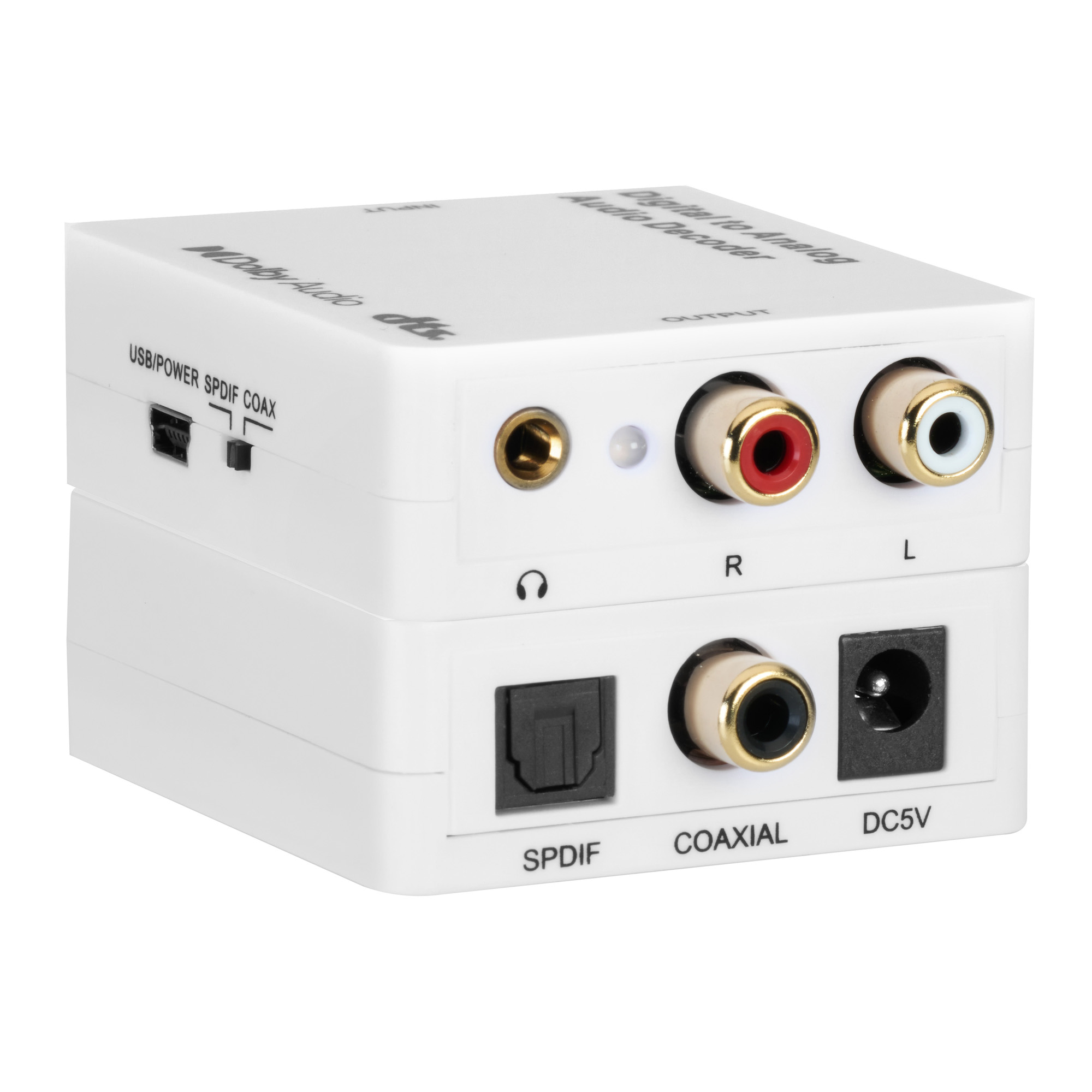
It decodes Dolby Digital, DTS, DTS-ES 6.1 and PCM up to 192kHz from optical or coaxial input to stereo RCA and 3.5mm headphone outputs at once.
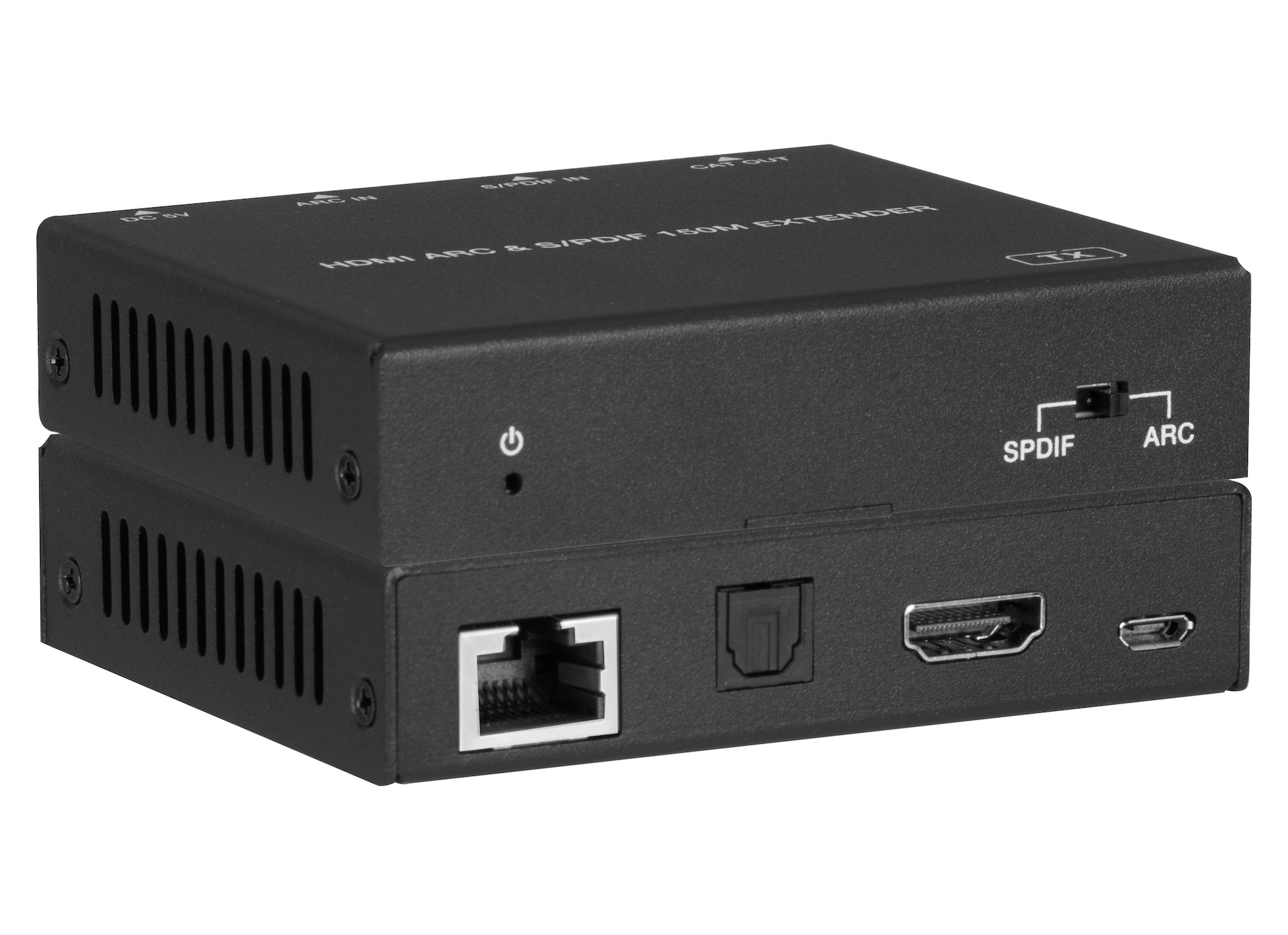
AUD-EXT-ARC150M sends HDMI ARC or optical S/PDIF audio over one CAT5e/6/7 cable: 150m / 495ft at 96kHz, or 90m / 295ft for ARC at 192kHz.
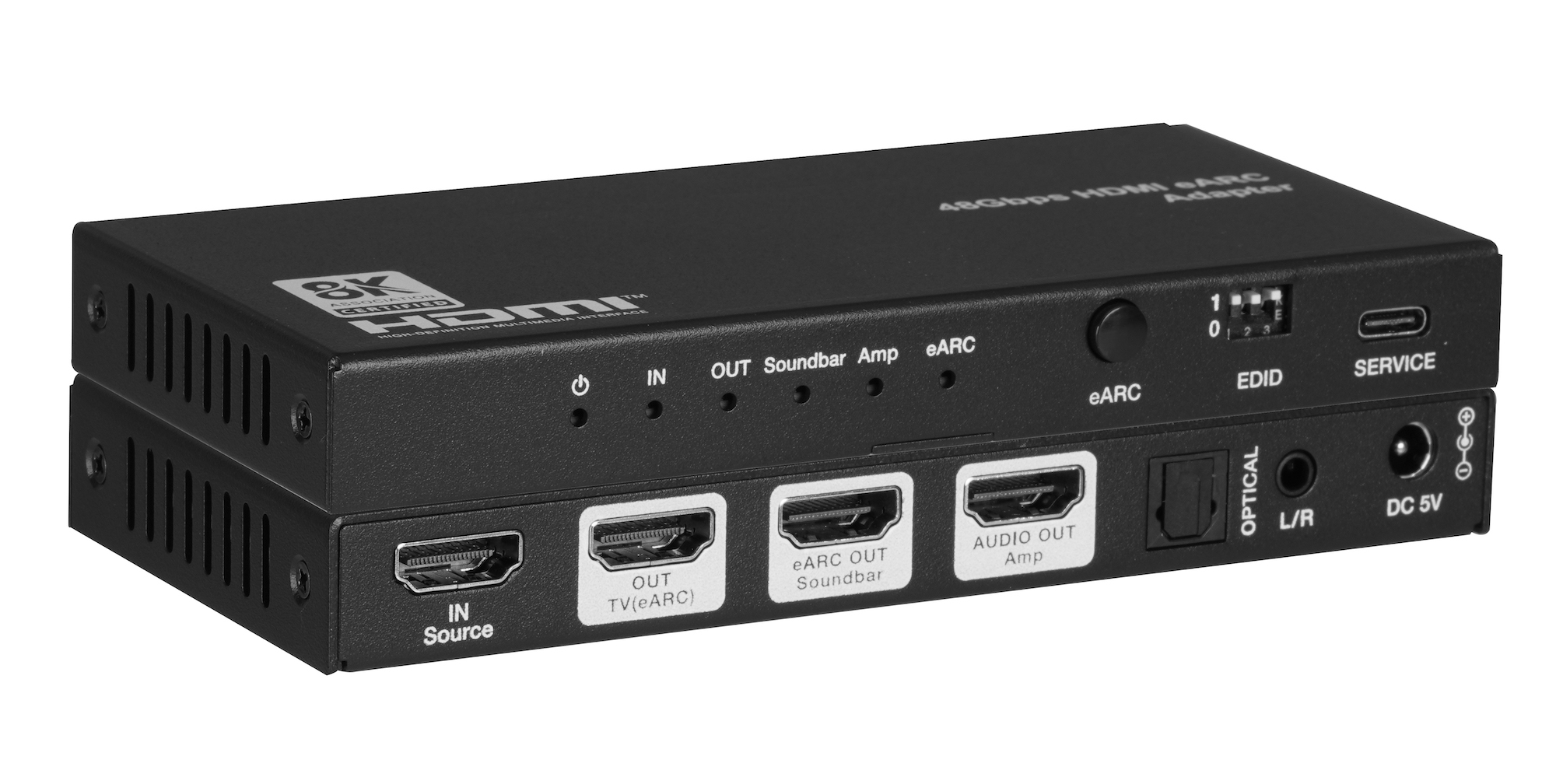
The AUD-EARC-8K passes HDMI 2.1 video to the TV and sends audio to soundbar, amp, optical and L/R at once, with no decoding or downmixing.
KanexPro sells direct to dealers, resellers, installers and integrators, and through distribution. Whichever way you buy, the same engineers answer the phone.
The trade store: your own account, live stock, reordering, and a first look at new products.
Go to the trade store →Distribution and authorised resellers across the US and beyond.
See where to buy →Design help on extenders, matrix and AV over IP before you spec it.
Ask an engineer →