AUD-EARC-8K: eARC Audio Routing, Formats and EDID
The AUD-EARC-8K passes HDMI 2.1 video to the TV and sends audio to soundbar, amp, optical and L/R at once, with no decoding or downmixing.


AUD-DTE-USB · AUD-DTE-USBC — Bidirectional computer audio to Dante
The AUD-DTE-USB and AUD-DTE-USBC bridge a computer’s USB audio to the Dante network. Any Windows or macOS computer can send and receive audio over Dante — enabling software playback, recording, conferencing, and virtual sound applications without analog cabling.
AUD-DTE-USB · USB-A · PoE powered
Bidirectional USB-A to Dante encoder/decoder. Appears as a standard USB audio device on Windows and macOS. PoE powered from the switch — no USB bus power drawn from the computer.
Use cases: Presenter laptop audio → Dante, conference room PC → Dante ceiling speakers, recording workstation receiving Dante sources, Teams/Zoom soft-codec via Dante infrastructure.
AUD-DTE-USBC · USB-C · PoE powered
Driver-free — appears as a USB Audio Class device on Windows, macOS, iPadOS, and Android without any driver installation. PoE powered from the switch.
Use cases: Guest presenter with USB-C laptop, tablet-based presentation audio, driver-free deployment in managed IT environments where software installation is restricted.
| Feature | AUD-DTE-USB | AUD-DTE-USBC |
|---|---|---|
| Connector | USB-A | USB-C |
| Direction | Bidirectional (2CH in/out) | Bidirectional (2CH in/out) |
| Driver | Standard USB audio (Win/Mac) | Driver-free (USB Audio Class) |
| Power | PoE | PoE |
| Compatible OS | Windows, macOS | Windows, macOS, iPadOS, Android |
Both devices present two interfaces to the computer: a USB audio playback device (computer → Dante) and a USB audio capture device (Dante → computer). Select the device in system sound settings or your DAW/soft-codec application. In Dante Controller, it appears as a standard Dante endpoint — route its transmitter channels to any receiver, and subscribe its receiver channels to any transmitter.
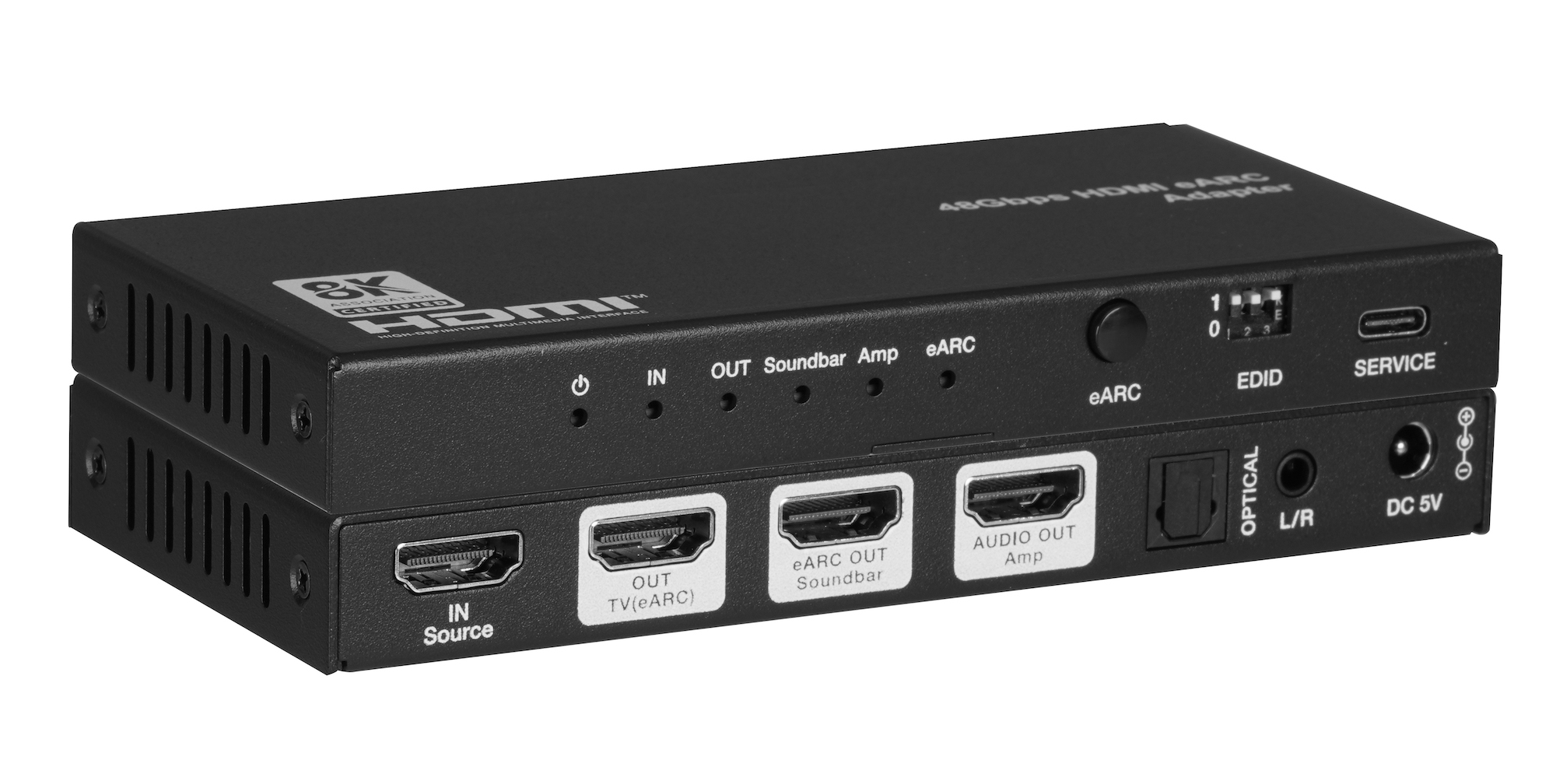
The AUD-EARC-8K passes HDMI 2.1 video to the TV and sends audio to soundbar, amp, optical and L/R at once, with no decoding or downmixing.
How KanexPro checks firmware and software downloads, how to verify a file's SHA-256 fingerprint, what the Windows SmartScreen warning means, and…
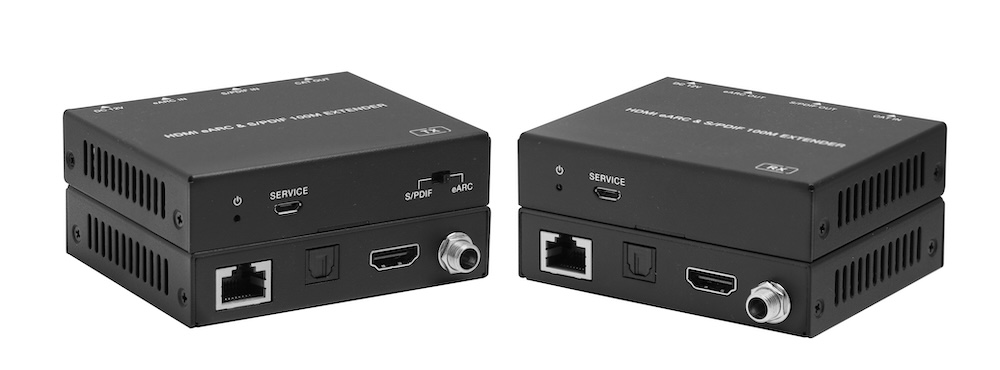
The AUD-EXT-EARC100M carries HDMI eARC or S/PDIF audio from a TV to a soundbar or AVR up to 100m/328ft over one CAT cable, powered from either end.
KanexPro sells direct to dealers, resellers, installers and integrators, and through distribution. Whichever way you buy, the same engineers answer the phone.
The trade store: your own account, live stock, reordering, and a first look at new products.
Go to the trade store →Distribution and authorised resellers across the US and beyond.
See where to buy →Design help on extenders, matrix and AV over IP before you spec it.
Ask an engineer →