Downloading KanexPro software and firmware safely
How KanexPro checks firmware and software downloads, how to verify a file's SHA-256 fingerprint, what the Windows SmartScreen warning means, and…


Huddle Room switchers (COL-HUD series) are designed for small BYOD conference rooms — 1–2 laptop sources, one or two displays, USB-C PD charging, USB KVM, and dual 1G Ethernet with 802.1x authentication. Presentation switchers (SW-xPS series) support larger rooms with 4–5 mixed sources (HDMI + USB-C), HDBaseT 70m extension, multiview, and Dante audio. Video Wall controllers (MMX, VW series) take a single source and split it across 2–9 displays.
The Huddle Room and Presentation switchers include dual 1G Ethernet ports with 802.1x authentication for secure corporate network access. A managed network is not required for basic AV operation, but 802.1x requires a RADIUS-capable network infrastructure.
Yes. All products operate standalone via front panel buttons or IR remote. RS-232 and IP control are available for integration with Crestron, AMX, Savant, or similar control systems.
The COL-HUD-21 accepts one HDMI and one USB-C input with 100W PD charging on the USB-C port. The COL-HUD-21D accepts two USB-C inputs with 50W+50W split PD charging — ideal for rooms where both users connect via USB-C laptops.
The COL-HUD-42 supports 4 inputs (HDMI + USB-C), dual HDMI outputs for two displays, and matrix switching — designed for larger huddle or dual-display rooms.
USB 3.2 devices including keyboards, mice, webcams, flash drives, and USB hubs. The active USB-C or HDMI source also gains control of connected USB peripherals.
HDBaseT 3.0 transmits 4K60 4:4:4 HDMI video, audio, USB, Ethernet, and power over a single CAT6a cable up to 70 meters. This eliminates the need for a separate HDMI cable run to the display, allowing the switcher to be installed at the AV rack or table while the display can be up to 70m away.
Yes. Both SW-4X2PS-70M and SW-5X1PS-70M support multiview modes allowing multiple sources to appear on screen simultaneously (PiP, PoP, quad view).
The VW-SP1X44K is best for simple 1×4 walls up to 9-display configurations. The VW-HDUSBC1X4 adds USB-C input and 8 display modes. The MMX-4X4VW is a full 4×4 matrix that also supports video wall mode — best when you need routing flexibility plus video wall in one unit.
Standard HDMI cables from each controller output to each display. Maximum recommended cable length is 5m for 4K60. Use active HDMI cables or HDMI extenders for longer runs.
How KanexPro checks firmware and software downloads, how to verify a file's SHA-256 fingerprint, what the Windows SmartScreen warning means, and…
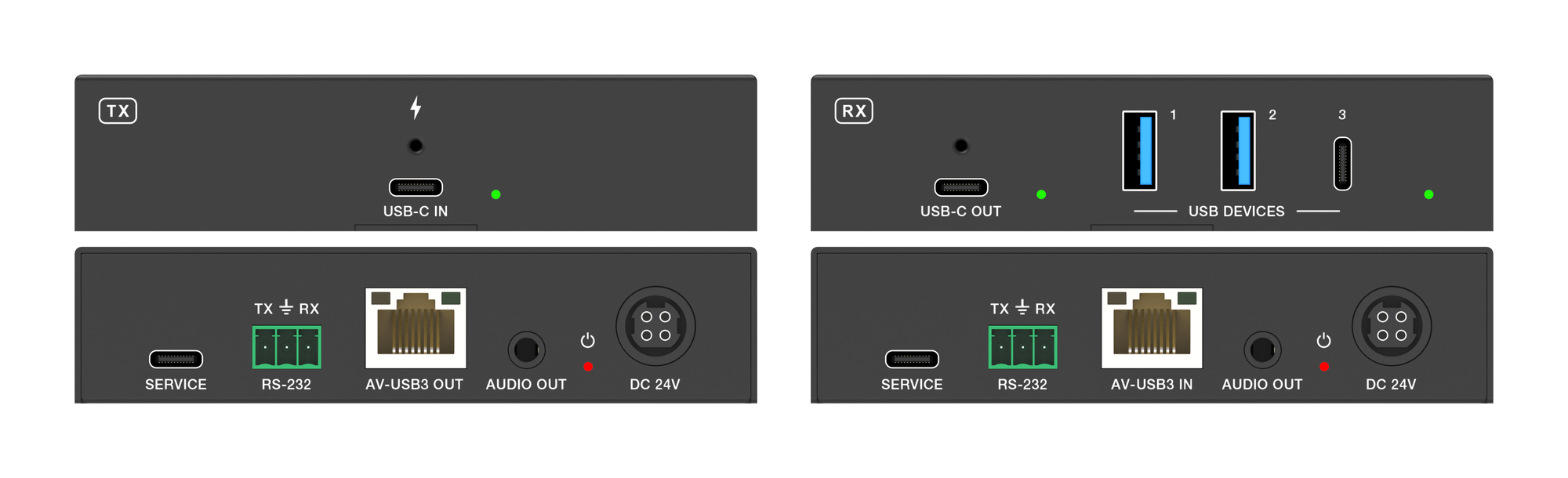
The EXT-USBC2C4K-40M carries USB-C video, USB 3.2 data, touch return and 100W charging up to 40m over one CAT6a cable at 4K.
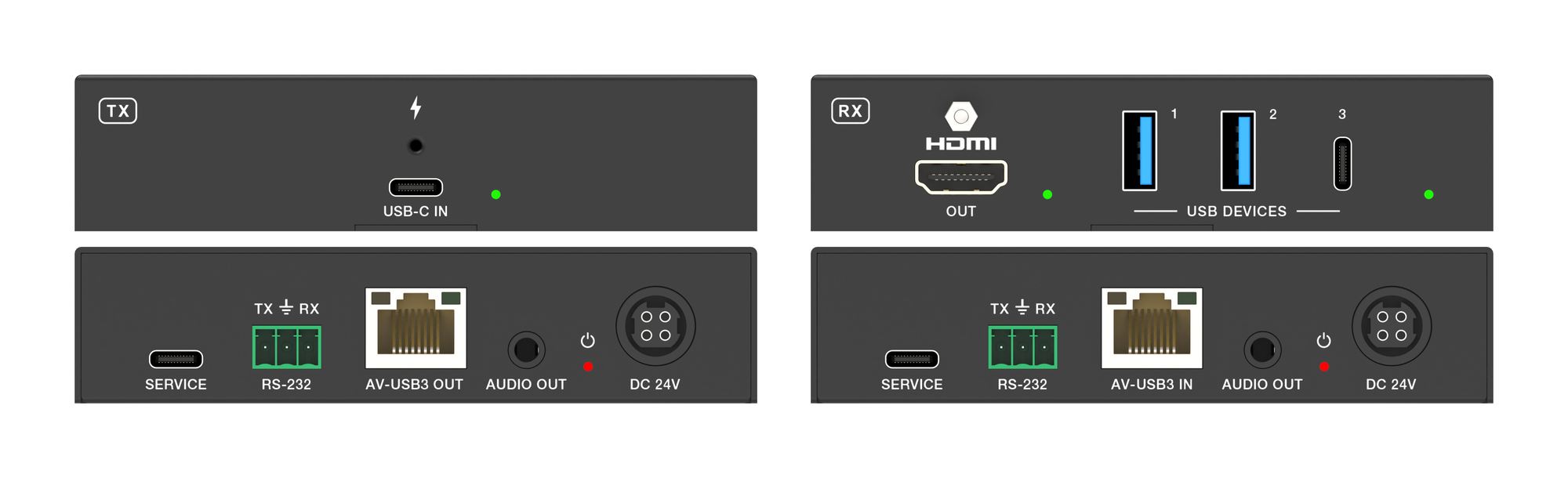
It carries 4K60 video, USB 3.2 data and up to 100W laptop charging from one USB-C port over a single CAT6a run, up to 40m at 4K.
KanexPro sells direct to dealers, resellers, installers and integrators, and through distribution. Whichever way you buy, the same engineers answer the phone.
The trade store: your own account, live stock, reordering, and a first look at new products.
Go to the trade store →Distribution and authorised resellers across the US and beyond.
See where to buy →Design help on extenders, matrix and AV over IP before you spec it.
Ask an engineer →