Downloading KanexPro software and firmware safely
How KanexPro checks firmware and software downloads, how to verify a file's SHA-256 fingerprint, what the Windows SmartScreen warning means, and…


KanexPro Huddle Room Switchers are compact BYOD presentation devices for small conference rooms. They accept USB-C and HDMI laptop inputs, output to one or two displays, share USB peripherals via KVM, charge laptops via USB-C PD, and connect to corporate networks with dual 1G Ethernet and 802.1x authentication — all in a single table-top or under-desk unit.
| SKU | Title | Key Differentiator |
|---|---|---|
| COL-HUD-21 | 2×1 HDMI & USB-C Huddle Room Switcher with USB 3.2 KVM | Mixed HDMI + USB-C, 100W PD, single display |
| COL-HUD-21D | 2×1 Dual USB-C Huddle Room Switcher with USB 3.2 KVM | Dual USB-C inputs, 50W+50W PD, single display |
| COL-HUD-42 | 4×2 HDMI & USB-C Huddle Room Matrix Switcher | 4 inputs, 2 displays, matrix switching, 100W PD |
The standard huddle room switcher for rooms where one presenter connects via USB-C and a second via HDMI (legacy laptop or room PC).
For rooms where both presenters connect via USB-C — two USB-C ports with independent 50W PD charging on each port simultaneously.
A full matrix switcher for larger huddle rooms or dual-display rooms. Supports 4 sources (2×HDMI + 2×USB-C) and two independent HDMI outputs, allowing any input to be routed to either display independently.
How KanexPro checks firmware and software downloads, how to verify a file's SHA-256 fingerprint, what the Windows SmartScreen warning means, and…
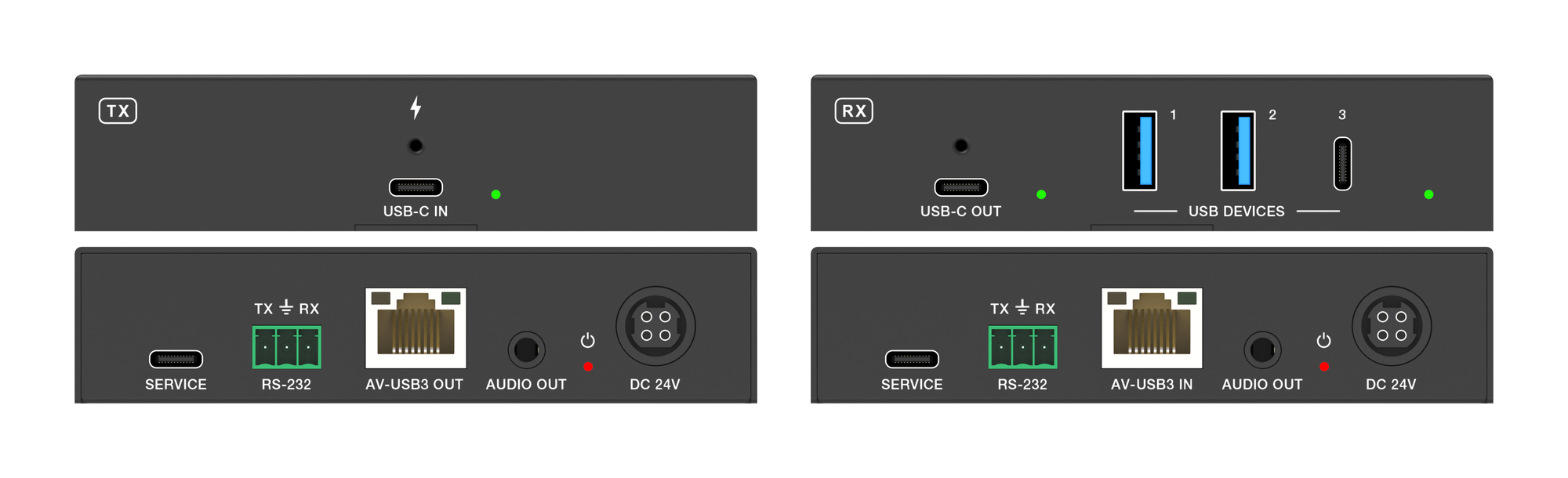
The EXT-USBC2C4K-40M carries USB-C video, USB 3.2 data, touch return and 100W charging up to 40m over one CAT6a cable at 4K.
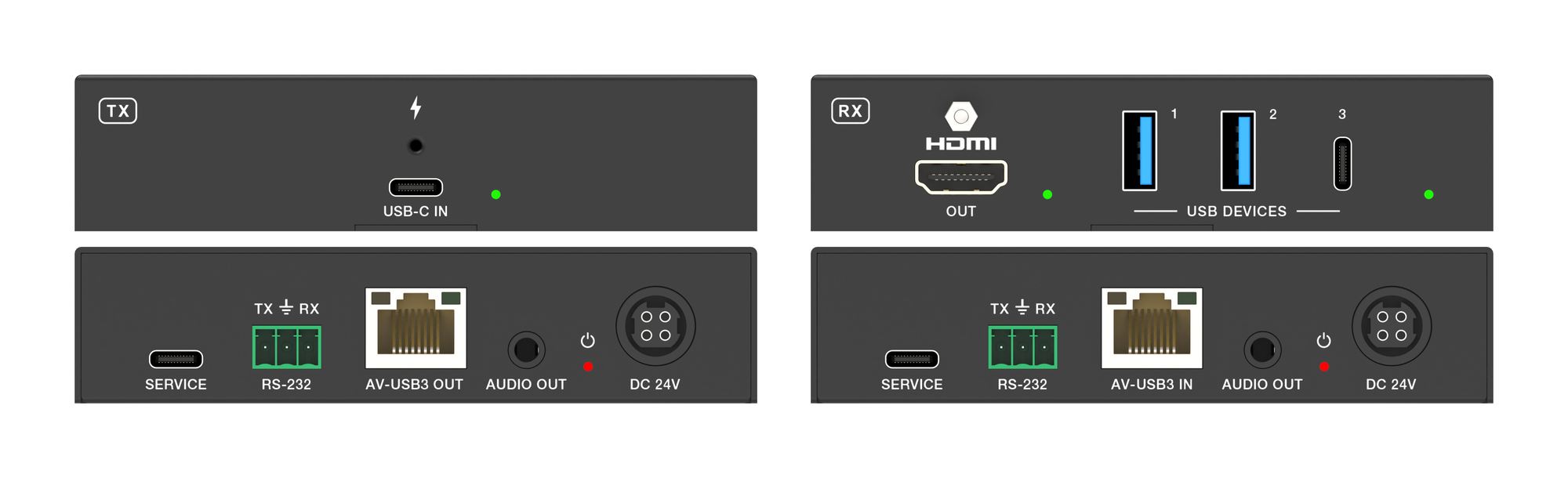
It carries 4K60 video, USB 3.2 data and up to 100W laptop charging from one USB-C port over a single CAT6a run, up to 40m at 4K.
KanexPro sells direct to dealers, resellers, installers and integrators, and through distribution. Whichever way you buy, the same engineers answer the phone.
The trade store: your own account, live stock, reordering, and a first look at new products.
Go to the trade store →Distribution and authorised resellers across the US and beyond.
See where to buy →Design help on extenders, matrix and AV over IP before you spec it.
Ask an engineer →