USB-C to USB-C Extender: 4K60, Data & 100W over CAT6a
The EXT-USBC2C4K-40M carries USB-C video, USB 3.2 data, touch return and 100W charging up to 40m over one CAT6a cable at 4K.


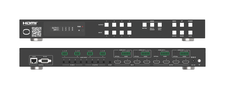 MMX-4X4VWMV
4K60 4×4 Seamless Matrix, Video Wall & Multiviewer Processor
Route Any Source, Build a 2×2 Wall or 12-Layout Multiview from One Chassis — 9 Splicing Modes…
Product page →
MMX-4X4VWMV
4K60 4×4 Seamless Matrix, Video Wall & Multiviewer Processor
Route Any Source, Build a 2×2 Wall or 12-Layout Multiview from One Chassis — 9 Splicing Modes…
Product page →
The MMX-4X4VWMV consolidates a seamless 4×4 matrix, a video wall and a multiviewer into a single full-rack-width 1U chassis, doing the work that once took three separate devices. It routes four HDMI 2.0 sources to four displays at 4K2K@60Hz 4:4:4 across a 594MHz / 18Gbps path with HDCP 2.2, scaling each source individually and switching without a black-screen or re-sync gap. It suits mid-market control rooms, retail, hospitality and worship installs where matrix, wall, multiview and audio breakout in one controllable box matter more than a modular chassis-and-card platform.
You select the mode from the front panel, IR remote or Web GUI. Seamless matrix assigns any of the four inputs to any of the four outputs with per-source scaling and no frame loss on transition. Video-wall mode offers nine splicing modes — including 2×2, 2×1, 3×1, 4×1, 1×3 and 1×4 — with horizontal and vertical bezel compensation adjustable from 0 to 10. Multi-viewer mode offers twelve layouts, including PIP, dual, triple and quad windows. The unit remembers the input-to-output configuration you last set for each mode, and up to 8 presets can be saved.
Cable reach depends on the resolution, on HDMI in or out:
Supported resolutions run from 480i up to 4K2K@60Hz. Color depth is 8, 10 or 12-bit, in RGB or YCbCr 4:4:4, 4:2:2 or 4:2:0. If a display shows no image, confirm the HDMI cable is within the length limit for the resolution in use.
The unit includes a complete dual-format audio stage. Four optical S/PDIF outputs and four analog L/R outputs de-embed HDMI source audio to a house amplifier or DSP; the analog L/R outputs are balanced up to 2Vrms, or unbalanced. Four analog L/R inputs let you embed a local source onto an HDMI input in place of its original audio. Three ext-audio routing modes are available — Bind to Input, Bind to Output and Audio Matrix. Note that audio embedded onto HDMI is carried on HDMI only and cannot be extracted to the AUDIO OUT ports. Supported HDMI audio formats include LPCM, Dolby Digital/Plus/EX, Dolby TrueHD, DTS, DTS-EX, DTS-96/24, DTS High Res and DTS-HD Master Audio.
You can drive the MMX-4X4VWMV from the front-panel buttons, the supplied IR remote, RS-232 (D-Sub 9), TCP/IP (RJ45) and a built-in Web GUI, with CEC for display power. To route, press an output button (1–4) then an input button (1–4). A built-in 4×4 IR matrix follows the HDMI routing, carrying source control back from the display side. EDID management provides 12 factory presets, 2 user-defined modes and 4 copy modes. RS-232 and the Web GUI become available a few minutes after power-on, so allow time before connecting.
The enclosure is black metal, measuring 17.32 x 7.99 x 1.75 in (440 x 203 x 44.5 mm) W x D x H and weighing 5.62 lbs (2.55 kg). It draws 25W maximum, running from the supplied 12V/2.5A locking power adapter fed by AC 100–240V, 50/60Hz. Operating temperature is 32–104°F (0–40°C), and the unit carries CE, FCC and RoHS certifications. A surge-protection device is recommended, and a GND terminal is provided to bond the housing to ground.
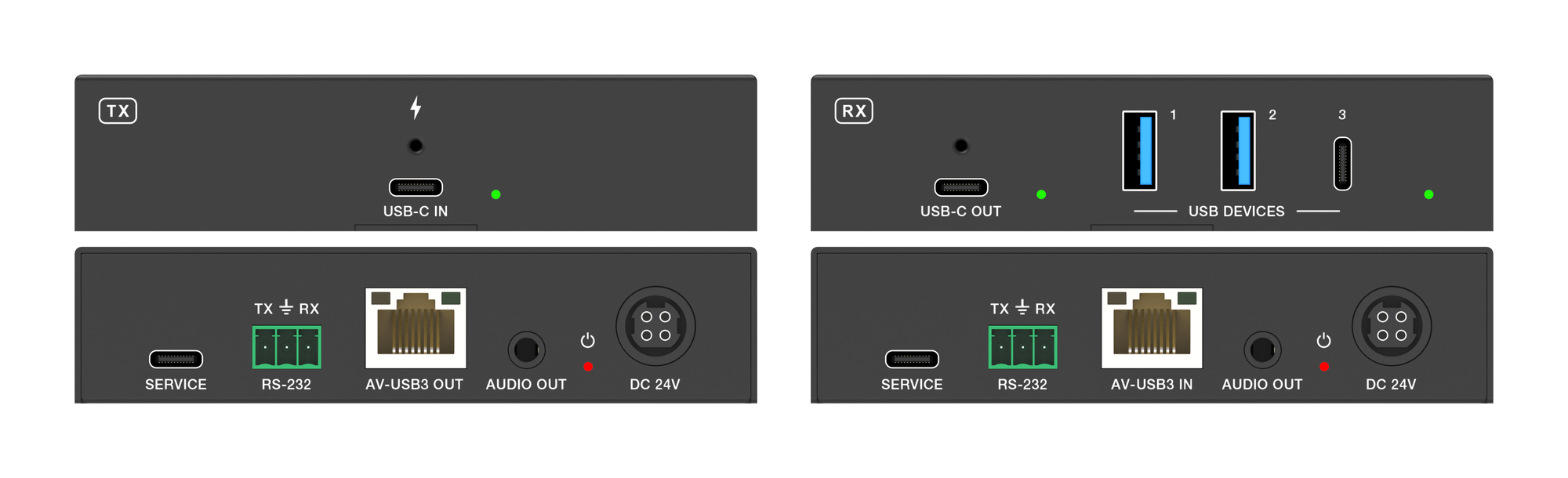
The EXT-USBC2C4K-40M carries USB-C video, USB 3.2 data, touch return and 100W charging up to 40m over one CAT6a cable at 4K.
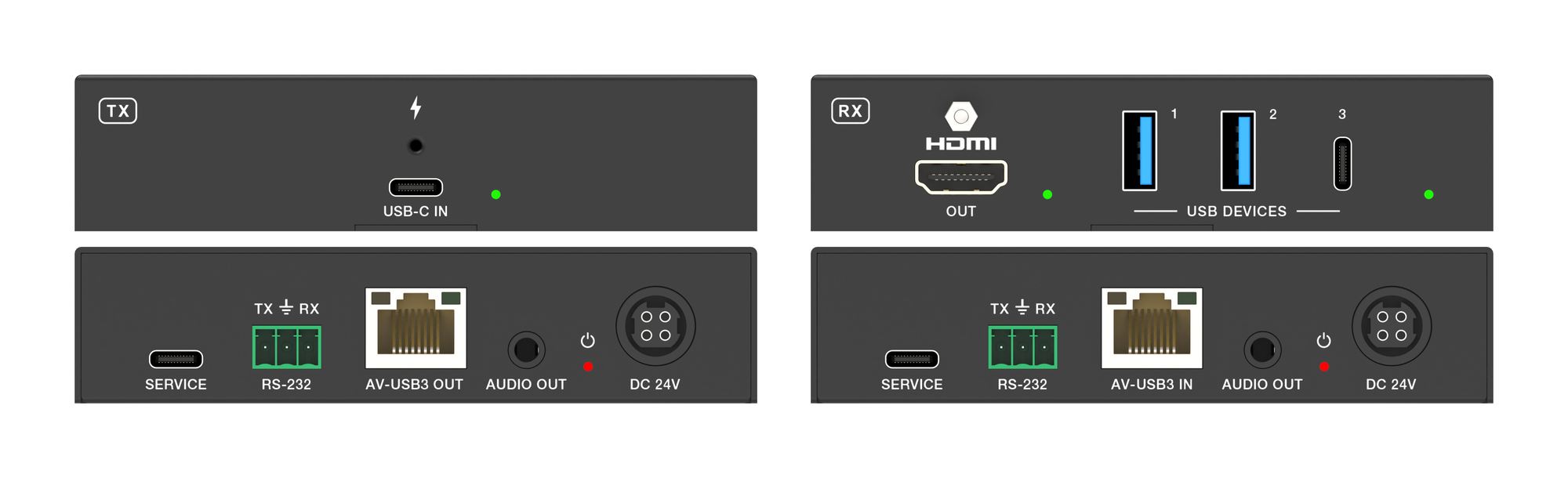
It carries 4K60 video, USB 3.2 data and up to 100W laptop charging from one USB-C port over a single CAT6a run, up to 40m at 4K.
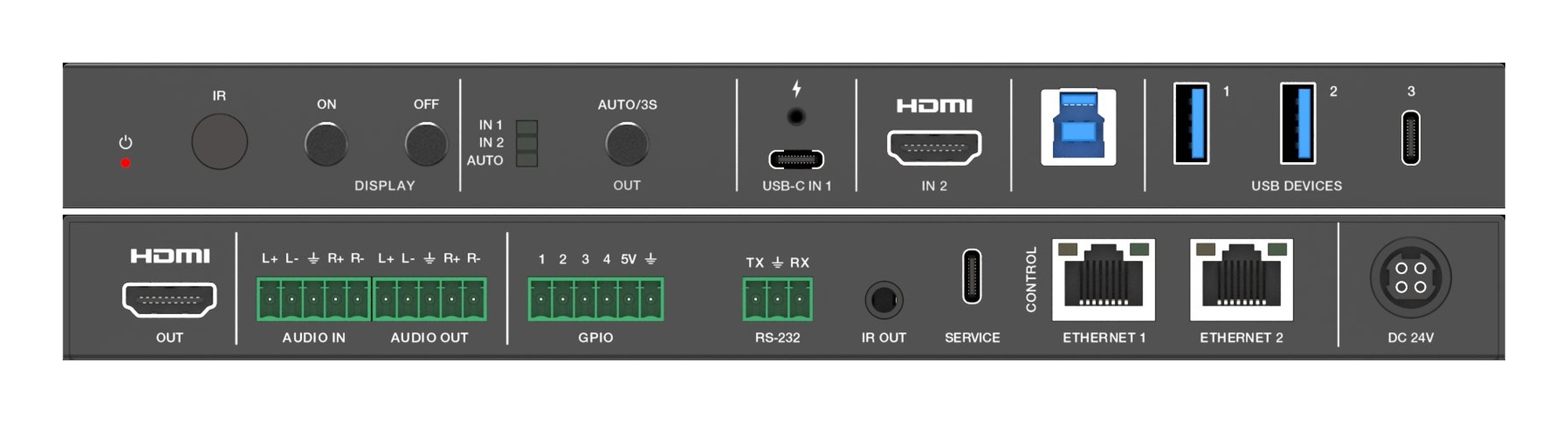
Overview This guide covers physical installation of KanexPro Collaboration products — Huddle Room switchers, Presentation switchers, and Video Wall…
KanexPro sells direct to dealers, resellers, installers and integrators, and through distribution. Whichever way you buy, the same engineers answer the phone.
The trade store: your own account, live stock, reordering, and a first look at new products.
Go to the trade store →Distribution and authorised resellers across the US and beyond.
See where to buy →Design help on extenders, matrix and AV over IP before you spec it.
Ask an engineer →