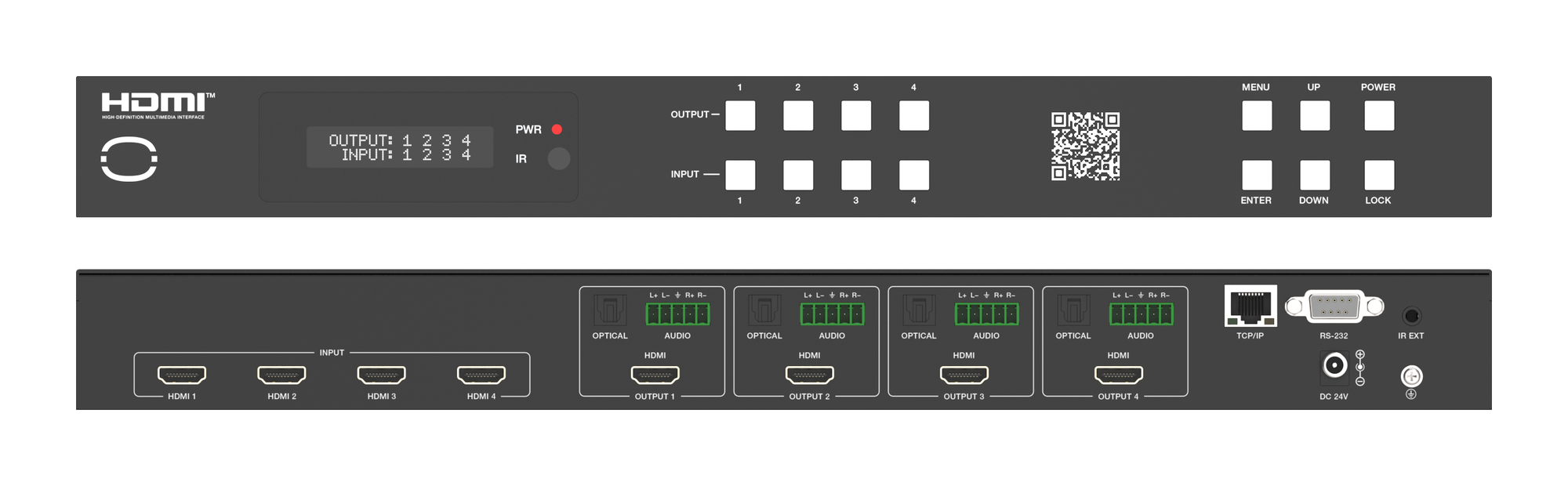
MMX-4X4-48G: 48Gbps Matrix with Per-Output Downscaling
The MMX-4X4-48G routes four HDMI 2.1 sources to four outputs at up to 8K, downscaling and breaking out audio on each output independently.


 MMX-4X4AUD
4K60 4:4:4 4×4 HDMI Matrix with Independent Per-Output Scaling
Route One Rack to 4K and Legacy 1080p Screens at Once — Dual Audio De-embedding, ARC & 18Gbps…
Product page →
MMX-4X4AUD
4K60 4:4:4 4×4 HDMI Matrix with Independent Per-Output Scaling
Route One Rack to 4K and Legacy 1080p Screens at Once — Dual Audio De-embedding, ARC & 18Gbps…
Product page →
The MMX-4X4AUD is a 4×4 HDMI matrix that switches any of four HDMI 2.0 sources to four HDMI displays, with an 18Gbps video path and independent scaling on every output. It fits a compact black metal enclosure — 8.66" (W) × 4.13" (D) × 1.73" (H), 1.75 lbs — and ships with two mounting ears, so a full 4×4 routing and scaling engine sits on one shelf. Control is by front panel, RS-232, IR remote, or TCP/IP through a built-in Web GUI.
It routes four HDMI 2.0 inputs to four HDMI outputs in any combination and de-embeds audio from each output. The video path is HDMI 2.0 and HDCP 2.2 / HDCP 1.4 compliant, carrying resolutions up to 4K2K 50/60Hz 4:4:4 at 18Gbps, with HDR10, HDR10+, Dolby Vision and HLG supported. At 4K60Hz YCbCr 4:4:4 it carries 8-bit color; it carries 8-bit, 10-bit and 12-bit at 1080p, 4K30Hz and 4K60Hz (YCbCr 4:2:0). It also supports advanced EDID management, per-input EDID selection, and CEC control of sources and displays from the Web GUI.
Yes — this is the reason to pick it. Each of the four outputs has its own scaler mode: Bypass passes the source resolution through unchanged, 4K→1080p downscales, and Auto matches the connected display. That means a 4K main screen can run in Bypass while an overflow output is set to 4K→1080p for a legacy 1080p panel, both driven from the same 4K source. If a 1080p display shows nothing from a 4K source, its output is almost certainly still in Bypass; set it to 4K→1080p or Auto on the Web GUI Output page, by holding the OUT button for 3 seconds, or with a scaler command.
Every output de-embeds audio to two ports: a 3.5mm stereo L/R jack and an RCA coaxial output. The L/R jacks carry PCM 2.0CH; the coaxial outputs carry PCM 2.0, Dolby Digital/Plus and DTS 2.0/5.1. That lets you feed a zone amp or DSP from coax and powered speakers from the analog jack per output. ARC is returned on the coaxial output only — when ARC is enabled on an output, the display's returned audio is sent out that coaxial port and the L/R jack on that output is muted. If an L/R output goes silent, check whether ARC is on for that output and turn it off to restore the analog jack.
The manual recommends Premium High Speed HDMI cable and specifies shorter maximum cable runs at higher resolutions — the highest-bandwidth mode supports the shortest run, and 1080p supports the longest. Plan the cable run for the resolution the output actually carries, and check the manual for the exact limit at each resolution you intend to use.
There are four control methods: the front-panel OUT buttons, the RS-232 port (3-pin phoenix connector), the supplied IR remote, and TCP/IP. Enter the matrix's IP address in a browser to reach the built-in Web GUI; the default address is 192.168.1.100, and set your PC to the same segment (for example 192.168.1.200, mask 255.255.255.0). The unit runs on the included 12V/2.5A locking power adapter, which accepts AC 100–240V, 50/60Hz, and draws 10W maximum or 1.56W in standby.
KanexPro sells direct to dealers, resellers, installers and integrators, and through distribution. Whichever way you buy, the same engineers answer the phone.
The trade store: your own account, live stock, reordering, and a first look at new products.
Go to the trade store →Distribution and authorised resellers across the US and beyond.
See where to buy →Design help on extenders, matrix and AV over IP before you spec it.
Ask an engineer →