Comparing Different HDMI Standards
HDMI cable standards differ: High Speed is rated 10.2 Gbps, Premium High Speed 18 Gbps for 4K60, and Ultra High Speed 48 Gbps for 8K60 and 4K120.



While VGA was once the standard in video technology, recent advancements have turned to HDMI as the more universal preference. It can be difficult to keep up with constant port and display changes when you already have your own custom AV systems set up at home. In some cases, it may be possible to convert some of your older ports to HDMI to save you from the cost of having to buy all-new technology.
Below, we’ll offer guidance on how to convert VGA to HDMI using a number of different methods. Converters and scalers come in a variety of types to help your technology be as adaptable as possible. The right method for you depends on your technological and budgetary needs.
Converters (typically video or AV converters) are devices that can easily transfer older VGA signals to updated HDMI ports, allowing for smooth conversions and higher quality across the board. These are necessary pieces of hardware for people who need to connect a newer piece of technology to an older one.
Before selecting a video converter, you need to know which one you need for your specific setup. There are many different types of converters, and each video format has its different resolution and scaling abilities. Typically, it is common to convert older, lower-quality AV signals to higher-quality ones.
The most popular method of converting a VGA signal from a computer to a newer device that has an HDMI port on it is through a converter. VGA converters can scale or convert VGA signals and transfer them to the HDMI port so they can be read by the newer device.
Some HDMI scalers and converters includ USB cables as a port for your audio. Others may have their own audio cables with different port sizes. Some HDMI converters are known to have USB cables for power. With so many different options available, it is easy to get overwhelmed. Get in touch with your AV systems experts if you are in a technologically tricky situation.
Some older systems may only have a VGA connection, in which case you won’t be able to change to an HDMI or DisplayPort signal. The only way to get around this is to upgrade your video card in your computer to an updated model that comes with different display ports for you to use.
Can conversions work the other way around? If you need to take an HDMI signal and convert it to a VGA output, that can be done with a cheaper and simpler tool. Since VGA displays are older, it is not hard to adapt to them. However, it is important to keep in mind that VGA quality is going to be a lot lower than HDMI quality, and the output of your audio will reflect that.
The golden rule of AV conversion is that the lower-quality signal determines the final quality of the output. Analog signals cannot be changed; therefore, it is inevitable that some of the quality and clarity will be lost from VGA to HDMI conversions. A high-fidelity type like HDMI doesn’t typically lose its quality when being converted, but can still risk losing some signal quality when being changed to an older analog signal.
At Kanex Pro, we provide a wide range of AV devices to help you set up a dynamic system with connected sound. Whether you are looking to convert audio or video from analog signals into a newer format, you will find what you need at our online store. Browse our scaler and VGA converter options and get in touch with our pros to ensure that your setup is smooth and never skips a beat.
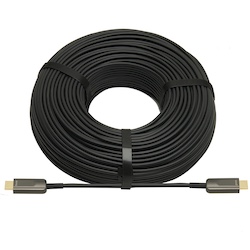
HDMI cable standards differ: High Speed is rated 10.2 Gbps, Premium High Speed 18 Gbps for 4K60, and Ultra High Speed 48 Gbps for 8K60 and 4K120.
HDMI cables have become the standard in many homes and offices over the last decade. They are helpful cables that transmit audio and video from…
HDMI cables are a necessary part of any tech setup at home or at work. They provide the clear and effective transmission of both audio and video…
KanexPro sells direct to dealers, resellers, installers and integrators, and through distribution. Whichever way you buy, the same engineers answer the phone.
The trade store: your own account, live stock, reordering, and a first look at new products.
Go to the trade store →Distribution and authorised resellers across the US and beyond.
See where to buy →Design help on extenders, matrix and AV over IP before you spec it.
Ask an engineer →