HDMI Distribution System Design: Splitters, Matrices, Scalers and Dante
Specifying an HDMI Distribution System: Splitters, Matrices, Scaling Switchers and Dante Audio Short answer: Choose the device by the shape of the…



Looking to upgrade your extensive AV system this year or build a new sound and video setup from scratch? You might be wondering exactly what kind of equipment you need. Several different HDMI cables are currently on the market, making finding the exact right cabling to be a difficult task without help. That is why your AV manufacturers are here to help.
At Kanex Pro, we specialize in all things audio-visual. We have set up a short 2023 HDMI Cable Buyers Guide to help you learn more about the differences between the types of HDMI cables, when to use them, why you might need them, and, of course, where you can buy them.
First, let’s talk about exactly what HDMI is and what it has become over the last decade. Any piece of technology you might own - especially a TV or monitor - that is over 10 years old may not have an HDMI cable slot built into it. In that case, you will need to buy some adapters to convert your system to HDMI. Depending on how new your technology is, you may have a few different types of HDMI ports available to you. We will discuss different cable types in the next section.
In 2023, the development of 8K availability is starting to ramp up. This is adding even more options and even more high-def capability to average devices. Whether or not you can transfer this image between your TV and your PC, or another device, depends on your HDMI cables.
In today’s market, you should really only be searching for 3 types of cables that you can find on the shelf of your local tech supply:
The most basic and oldest type of HDMI, standard cables are meant to get the job done and nothing more. They can support a resolution of up to 1080p, but may not support the lightning-fast speeds that people have come to expect. If you are fine sticking in 2K, this is a good cable option for you.
High-speed cables will give you a little more bang for your buck. They can support up to 4K and 1080p, giving you a little bit better resolution when looking at high-def images in comparison to the standard cable type. This is a good option for streaming videos and playing video games, which always require a good framerate.
Ultra high-speed and premium high-speed cables will offer the very best in fidelity and image quality. Not only are they the best choice for streaming and multi-device connection, but they can also support all the way up to 8K. If you are trying to connect the most advanced pieces of visual equipment on the market to your home system, this is definitely the cable you’ll want.
Although the majority of HDMI cable options can be broken down into the three types shown above, it can still be hard to figure out exactly what kind of cable will work best for you. You don’t necessarily need the most advanced or the most expensive option, but it depends on what you are looking to get out of your AV system.
If you have any cables at home, make sure to test them first. If they are up to par, you can reuse them in your new system. Outdated cables can be identified by our pros and a new replacement will be suggested. Faster speeds and higher bandwidth mean better streaming, smoother gameplay, and uninterrupted TV time.
We offer a wide range of cable solutions to help you make the most out of your custom sound and video system. From standard to high-speed HDMI cables, our inventory is bound to suit your needs. Get in touch with us today to browse our special selection and learn more about the benefits of HDMI today!
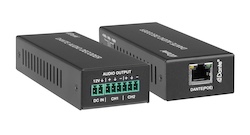
Specifying an HDMI Distribution System: Splitters, Matrices, Scaling Switchers and Dante Audio Short answer: Choose the device by the shape of the…
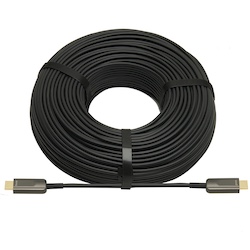
If your source is component video (the red, green, and blue RCA connectors), you need a component to HDMI converter. If it is composite video (a…
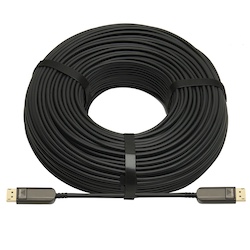
DisplayPort beats HDMI for high-refresh PC monitors and daisy-chaining; HDMI is the pick for TVs, consoles and projectors, and USB-C for laptops.
KanexPro sells direct to dealers, resellers, installers and integrators, and through distribution. Whichever way you buy, the same engineers answer the phone.
The trade store: your own account, live stock, reordering, and a first look at new products.
Go to the trade store →Distribution and authorised resellers across the US and beyond.
See where to buy →Design help on extenders, matrix and AV over IP before you spec it.
Ask an engineer →