HDMI Distribution System Design: Splitters, Matrices, Scalers and Dante
Specifying an HDMI Distribution System: Splitters, Matrices, Scaling Switchers and Dante Audio Short answer: Choose the device by the shape of the…


We live in a world where everything's digital and we use USB connections all the time. We use them at work in conference rooms in classrooms at home offices and in setups. We use USB connections to send data to devices to control devices and to power peripherals like USB cables for our computers.
Sometimes the USB cable that we have is too short to reach our device. This can be a problem.
We can solve this problem by using a USB Extension Cable or an Active USB Extension Cable. Which one of these cables do we need to use?
This guide is here to help us understand the differences between USB Extension Cables and Active USB Extension Cables. The guide will explain how USB Extension Cables work and how Active USB Extension Cables work. It will also explain why using a USB extension solution is important, for our USB connections.
A standard USB Extension Cable is really helpful because it lets you connect your computer, laptop, or hub to a USB device like a keyboard, mouse, printer, or storage drive from a distance.
You can use a USB cable to connect things up to 5 meters away, which is about 16 feet if you are using USB 2.0. If you are using USB 3.0 or USB-C, the distance is shorter.
If you go beyond this distance, you might have some problems, such as:
• Device disconnection
• Slow or unstable data transfer
• Signal degradation or loss
A USB Extension Cable is really helpful when you need to plug something in. It is just out of reach. This is a help.
A USB Extension Cable is good for distances. A USB Extension Cable is not so good if you need to go a really long way. A USB Extension Cable can have problems with the signal if it gets too long.
There are two main types of USB extension cables: passive (standard) and active.
1. Passive USB Extension Cable
• A simple cable that extends the USB connection
• No electronics or signal boosters
• Plug-and-play
How it works:
• The signal travels through the cable directly
• Works well over short distances (up to 5 meters)
• Over longer distances, the signal weakens and can cause errors
2. Active USB Extension Cable
• Includes a built-in repeater chip that amplifies the signal
• Maintains data integrity over long distances
• Supports USB 2.0, USB 3.0, and USB-C standards
How it works:
• The transmitter portion receives the USB signal
• It boosts and regenerates the signal inside the cable
• The signal reaches the device with minimal loss, even at distances of 20–30 meters or more
This makes active USB extension cables ideal for professional setups, AV systems, and industrial environments.
Feature | USB Extension Cable | Active USB Extension Cable |
Maximum Distance | Up to 5 meters | Up to 20–30 meters or more |
Signal Quality | Can degrade | Maintains stability over long distances |
Data Transfer | May be inconsistent | Reliable and consistent |
Installation | Simple, plug-and-play | Slightly advanced but still easy to use |
Cost | Affordable | Higher cost but worth the performance |
Best For | Home or short setups | Professional, commercial, or long-distance setups |
Here’s why businesses and homeowners opt for USB extension cables:
1. Extending Signals Over Longer Distances
Connect devices that are far from your computer without losing data integrity.
2. Clean and Professional Installations
Avoid messy, long, tangled cables by using organized extension solutions.
3. Cost-Effective Option
Active USB cables allow longer connectivity without expensive USB hubs or rewiring.
4. Stable Data Transmission
Reduces device errors, data corruption, and connection drops.
5. Versatile for Professional Use
Ideal for AV systems, conference rooms, classrooms, and industrial monitoring setups.
Passive USB Extension Cable
• Short-distance connections at home or the office
• Connecting a keyboard, mouse, or USB flash drive
• Simple plug-and-play tasks

Active USB Extension Cable
• AV installations in conference rooms
• Security camera or surveillance systems
• Industrial equipment connections
• Digital signage or touchscreen displays
• Gaming setups where the distance exceeds 5 meters
Going beyond recommended distances causes signal dropouts and device errors.
2. Ignoring Power Requirements
Some active cables draw power from USB ports or require external power.
3. Choosing Cheap Cables
Low-quality cables may introduce interference or fail quickly.
4. Not Considering Use Case
Active cables are unnecessary for short setups, while passive cables can’t handle professional long-distance needs.
• Under 5 meters → Passive USB extension cable
• Over 5 meters → Active USB extension cable
2. Identify Device Sensitivity
• Sensitive devices like cameras, storage, or touchscreens → Active cable
3. Consider Installation Environment
• Home or small office → Passive cable
• Commercial, AV, or industrial setups → Active cable
4. Assess Performance Needs
• High-speed, mission-critical data → Active cable
Active USB extension cables are essential in professional setups, including:
• Conference room cameras and microphones
• Interactive displays and digital signage
• Classroom technology setups
• Industrial control systems
• Enterprise workstations
They provide reliable long-distance connectivity, reduced downtime, and a clean professional installation.
Solutions from KanexPro ensure quality, compatibility, and long-lasting performance for professional and commercial applications.
As USB technology advances, the demand for high-speed, long-distance solutions grows. Future trends include:
USB 3.1 / USB-C support with active extension
Extended ranges with multi-stage repeaters
Integration with AV-over-IP systems
Higher reliability for enterprise and industrial environments
Active USB extension cables will continue to play a key role in these evolving setups.
USB Extension Cable:
This is the choice for using things that are close by, like at your house or a small office.
Active USB Extension Cable:
This is the choice, for big offices or places where you need to use USB Extension Cables for a long distance, and you want everything to work properly.
Choosing the USB Extension Cable is important because it helps your devices work well, prevents connection issues, and keeps everything looking neat when you set it up.
A USB Extension Cable is really useful because it helps you extend a USB connection for a while, up to 5 meters.
2. Now, what about an Active USB Extension Cable?
An Active USB Extension Cable is special because it makes the signal stronger and clearer, so you can use it over distances and still get good results.
3. How far can you actually use an Active USB Extension Cable?
Most of the time, Active USB Extension Cables can reach far, like 20 to 30 meters or even more; it just depends on what kind you get.
4. Is an Active USB Extension Cable better than an one?
Yes, if you need to use it for a distance or for something important, an Active USB Extension Cable is a better choice because it works consistently and reliably.
5. Can you use a USB cable for things like AV systems?
You can only if it is not too far and the signal does not have to be perfect. If you need to go a way, it is better to use an Active USB Extension Cable.
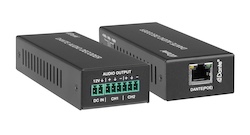
Specifying an HDMI Distribution System: Splitters, Matrices, Scaling Switchers and Dante Audio Short answer: Choose the device by the shape of the…
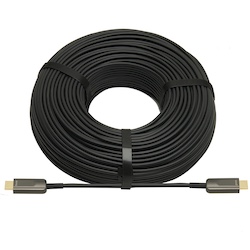
If your source is component video (the red, green, and blue RCA connectors), you need a component to HDMI converter. If it is composite video (a…
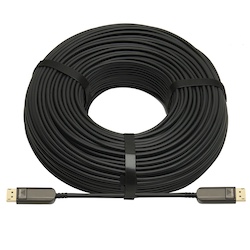
DisplayPort beats HDMI for high-refresh PC monitors and daisy-chaining; HDMI is the pick for TVs, consoles and projectors, and USB-C for laptops.
KanexPro sells direct to dealers, resellers, installers and integrators, and through distribution. Whichever way you buy, the same engineers answer the phone.
The trade store: your own account, live stock, reordering, and a first look at new products.
Go to the trade store →Distribution and authorised resellers across the US and beyond.
See where to buy →Design help on extenders, matrix and AV over IP before you spec it.
Ask an engineer →