Small Meeting Rooms Don't Need a Separate Audio or Control Processor
In a small meeting room, a presentation switcher with a built-in audio matrix and display control can replace the separate DSP and control processor.


One way to build a multi-zone HDMI job goes like this. The matrix switcher handles video. Then, wherever a zone needs sound for an amplifier or a soundbar, you add a separate audio extractor between the matrix output and the display. It works, but every zone that needs audio gets one more box. Each one needs power, a shelf or a spot behind a screen, and one more HDMI handshake that can fail.
Our view: if the zones need audio broken out, specify a matrix that de-embeds audio on every output, and take the audio from the rack. Treat audio extraction as a job for the matrix. Don't bolt it on at each display.
The habit comes from treating the matrix as a video switcher and audio as a later problem. On a job where every zone has its own amplifier input or soundbar, audio is part of the routing from the first drawing. It should be built into the hardware that does the routing.
Each device you add to an HDMI path is another point where EDID, HDCP and audio format have to be negotiated. An extractor behind a display repeats that handshake, adds a power supply at the far end, and ends up in a place nobody can reach once the screen is mounted. When a zone goes quiet, you are now troubleshooting two devices in two places.
When the matrix de-embeds the audio, the zone's audio comes out of the same rack as the routing. Both are controlled from the same interface and follow the same routing command. Route a source to an output and that output's audio follows it. When the amplifiers sit in the same rack, the audio wiring stays short and stays where the service tech is already working.
Displays that are also sources need attention too, for example a TV running its own apps. Their sound has to come back from the display to the audio system. Audio Return Channel on the output side handles that without a separate return path.
The MMX-16X16AUD is a 16×16 HDMI 2.0b matrix with 18 Gbps bandwidth on every port. It routes video at up to 4K2K@60Hz (4:4:4). Alongside its 16 HDMI outputs it has 16 coaxial audio (RCA) outputs. Each one de-embeds independently and carries LPCM 2.0 or the compressed 5.1 surround formats listed on the product page. This runs alongside the HDMI audio pass-through, so the display or a downstream receiver still gets the full HDMI audio stream.
The ARC function on the HDMI outputs takes the display's audio and sends it out the coaxial output. That is the case where the TV itself is the source for the soundbar or amplifier. ARC is off by default. You turn it on per output from the Web GUI Output page, or over RS-232 with a command such as s hdmi 2 arc 1! for output 2.
Other features help keep the zones free of extra boxes:
The coaxial outputs carry LPCM 2.0 and compressed 5.1 formats. They do not carry the lossless and object-based formats that the HDMI path passes through, up to 7.1-channel HD audio. If a zone is a proper theatre, with a receiver decoding lossless or object audio, feed that receiver over HDMI and let it do the audio work. Coax is the wrong path for that room.
A dedicated extractor or other device at the display also still makes sense in some cases. One is when the display is far from the rack, so the audio has to be taken off after an extension link. Another is when only one or two zones need audio broken out and the rest of the system does not call for a sixteen-output matrix. The stance applies when many zones need audio and the amplifiers sit near the matrix.
A splitter sends one source to several displays. A matrix switcher, like the MMX-16X16AUD, sends any of 16 sources to any of 16 displays, each chosen independently. An extender carries the signal further than a direct cable can. On this matrix, direct HDMI runs at 4K60 are up to 16 ft / 5m, so a 4K60 display beyond that needs an extender on its output.
For the audio carried in the HDMI signal, yes. Each of the 16 outputs has its own coaxial RCA audio output. When you route a source to an output, that output's de-embedded audio comes with it in LPCM 2.0 or a compressed 5.1 format, ready for an amplifier or soundbar.
It supports ARC on the HDMI outputs. The display's audio is sent to that output's coaxial connection. ARC is off by default. Turn it on from the Web GUI Output page or over RS-232, for example s hdmi 2 arc 1! for output 2. The product documentation describes ARC to a coaxial output, not eARC.
Yes. Each output has its own 4K-to-1080p downscaler, and EDID can be set with factory presets, user-defined modes or by copying from an output. That lets a 1080p display take a 4K source without a separate scaler behind it.
Send s in 3 av out 5! to route input 3 to output 5. Use s save preset z! and s recall preset z! to save and recall one of up to 8 routing presets.
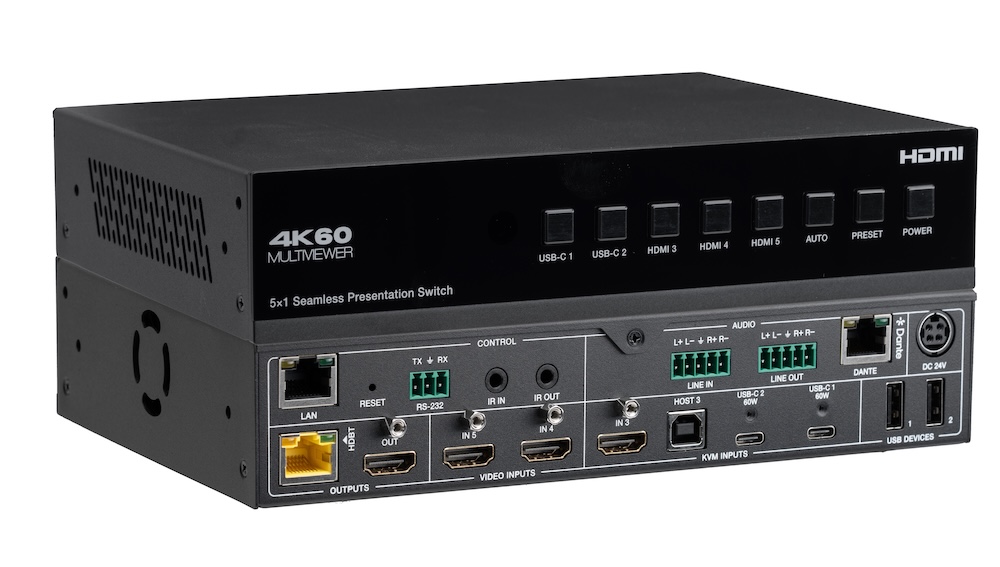
In a small meeting room, a presentation switcher with a built-in audio matrix and display control can replace the separate DSP and control processor.
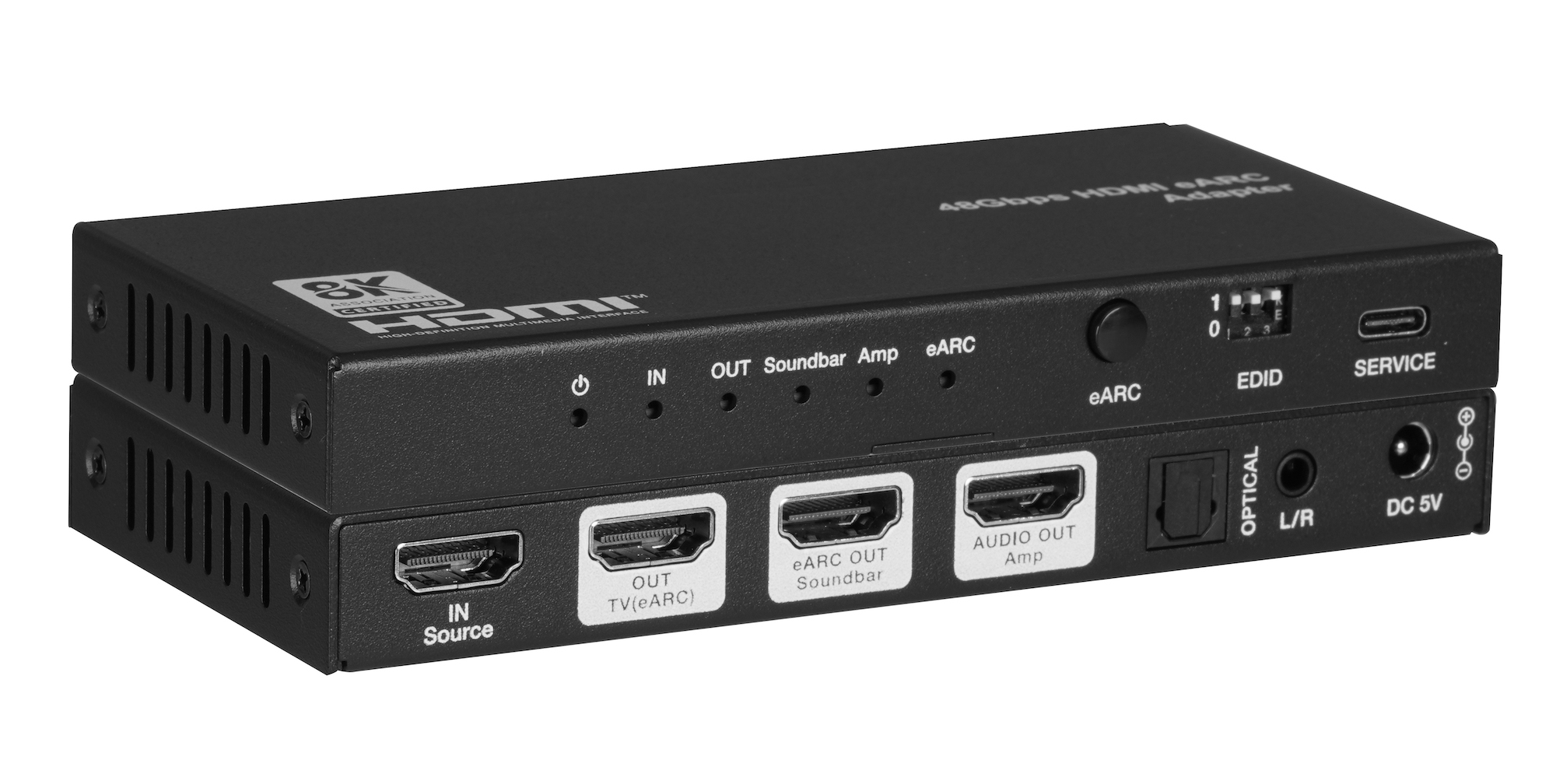
When one TV eARC port has to feed a soundbar and an amplifier, spec one adapter with both HDMI audio outputs instead of chaining two extractors.
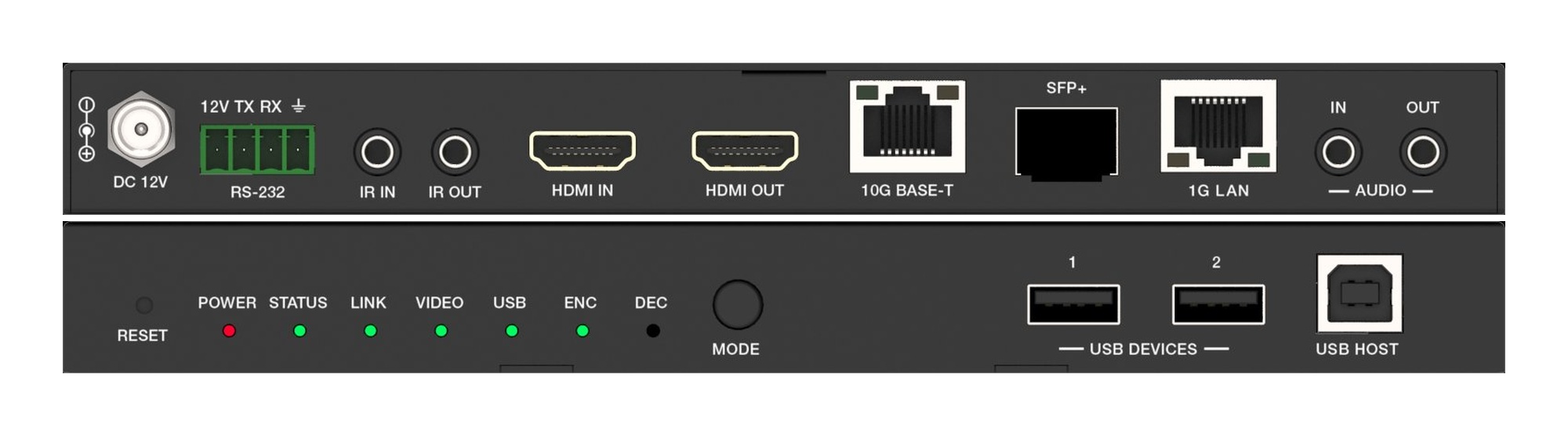
A fixed HDMI matrix switcher locks a job to its port count. Uncompressed 10G AV over IP routes the same way with zero-frame latency and room to grow.
KanexPro sells direct to dealers, resellers, installers and integrators, and through distribution. Whichever way you buy, the same engineers answer the phone.
The trade store: your own account, live stock, reordering, and a first look at new products.
Go to the trade store →Distribution and authorised resellers across the US and beyond.
See where to buy →Design help on extenders, matrix and AV over IP before you spec it.
Ask an engineer →