Small Meeting Rooms Don't Need a Separate Audio or Control Processor
In a small meeting room, a presentation switcher with a built-in audio matrix and display control can replace the separate DSP and control processor.


In a huddle room, hot desk or lectern, the laptop is the source and the display is on the far wall. Getting a modern USB-C laptop to drive that display usually means a dock at the table, a separate HDMI extender to the wall, a powered USB hub for the camera and speakerphone, and a charger the presenter has to remember. Every one of those is a box, a cable and a support call.
The BYOD reality makes it worse: the laptop changes daily and the brand changes with it. A guest plugs in, the room does not come up, and someone walks over with an adapter. Cameras and touch panels sit across the room from the source, and USB peripherals fail on a long passive run.
What integrators want to specify is a single connection at the table that brings up the display, the peripherals and the charge at once — and repeats the same way in every room.
The EXT-USBCPD4K-40M takes one full-featured USB-C input at the transmitter — DisplayPort Alt Mode 1.4a video, USB 3.2 Gen 1 data and USB-C Power Delivery 3.0 — and carries all three to the receiver over one CAT6a cable. The receiver puts out HDMI 2.0b at up to 4K60 4:4:4 with 18Gbps bandwidth and HDCP 2.3, plus three downstream USB ports (2x USB-A, 1x USB-C, 5V/1.5A each) for the room's peripherals, a 3.5mm de-embedded audio output and RS-232 pass-through.
Power moves the other way on the same link. The kit delivers up to 100W USB-C Power Delivery back to the laptop, available when the transmitter is powered from its included 24V/7.5A supply. Bi-directional 24V PoC means you power one end and the far end needs no supply of its own. USB 3.2 Gen 1 runs at up to 2.5 Gbps for 4K room cameras and storage (5 Gbps operation is not supported). Video reaches up to 4096x2160@60, and ultrawide modes 2560x1080@60, 3440x1440@60 and 5120x1440@50/60 are supported, with HDR, HDR10, HDR10+, Dolby Vision and HLG pass-through. The kit handles 8/10/12-bit color (8-bit at 5K60 4:2:2) across RGB and YCbCr 4:4:4, 4:2:2 and 4:2:0.
One USB-C cable at the table drives the wall display at 4K60, connects the 4K camera and speakerphone over USB 3.2, and charges the laptop at up to 100W — no dock and no second extender. Because the whole room comes up from a single kit, it is easy to set one room standard and copy it across sites, one kit per room.
Run a CAT6a drop to each desk with a USB-C pigtail. Employees and guests plug one cable into any laptop and get display, peripherals and power. The receiver and display stay at the wall for IT to manage while the laptop changes daily.
Instructor laptops of any brand connect at the lectern while the projector or display, document camera and room audio sit at the far wall. The link reaches 40m/130ft at 4K, and RS-232 passes through the kit to the room controller so the display can still be driven from the control system.
The table stays clean with a single USB-C connection while the boardroom display and conferencing camera live at the far wall. The HDMI output supports 5120x1440 ultrawide displays, and the conferencing camera runs on one of the receiver's USB 3.2 downstream ports.
A clinician's laptop presents to a wall display and drives a USB camera for telehealth or teaching from a single cable. The metal enclosures and ESD protection to IEC 61000-4-2 (±8kV air-gap, ±4kV contact) suit high-traffic rooms.
A USB-C laptop or mini PC behind the counter feeds a customer-facing 4K display and touch overlay at the front, charging while it runs. RS-232 to the display lets a scheduler handle power on and off.
The link runs up to 40m/130ft at 4K and 35m/115ft at 5K over CAT6a U/FTP, 23AWG minimum, direct-wired. The CAT cable between transmitter and receiver must be a straight-through connection terminated to the same pinout at both ends — do not cross-connect.
The local leads are short and passive. The USB-C source cable is 1.5m/4.9ft (USB 3.2 Gen 1 passive), and the HDMI output cable is 3m/9.8ft passive. Plan the transmitter placement close to where the laptop sits, and the receiver close to the display.
For power, the transmitter runs from its included 24V/7.5A supply; the receiver runs on 24V PoC over the CAT6a cable or from an optional 24V/2A supply, and the PoC is bi-directional. Note that 100W USB-C charging to the laptop is available only when the transmitter is powered from its own supply. A surge-protection device is recommended on the cable run.
Yes. The single USB-C connection to the transmitter carries DP Alt Mode video, USB 3.2 Gen 1 data and up to 100W of USB-C Power Delivery back to the laptop. The 100W charge is available when the transmitter is powered from its included 24V/7.5A supply.
The receiver's HDMI 2.0b output carries resolutions from 480i up to 4096x2160@60, and reaches 5120x2160 at 50/60Hz (5K60 at 4:2:2/4:2:0, 8-bit). It supports HDCP 2.3 and HDCP 1.x at 18Gbps, and passes HDR, HDR10, HDR10+, Dolby Vision and HLG.
Yes. Both ends have RS-232 pass-through on a 3-pin 3.5mm phoenix connector, and an ASCII API is available on the SERVICE USB-C port at 115200 baud, 8 data bits, 1 stop bit, no parity. Over the API you can set input HDCP mode, choose from 25 EDID presets (two user-defined), set output source and HDCP, control HDMI 5V and downstream USB port power, read status and signal, and reboot, reset or update firmware.
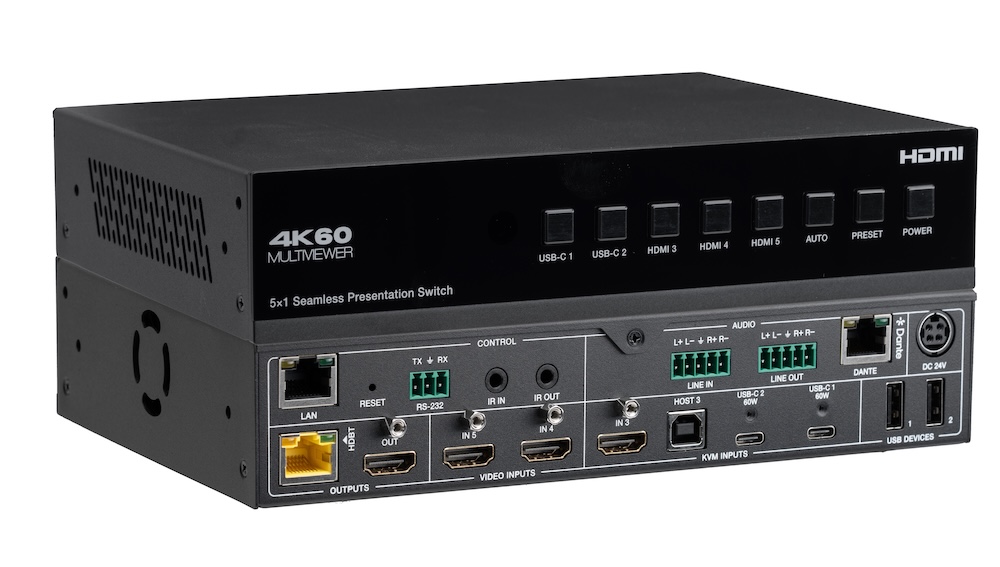
In a small meeting room, a presentation switcher with a built-in audio matrix and display control can replace the separate DSP and control processor.
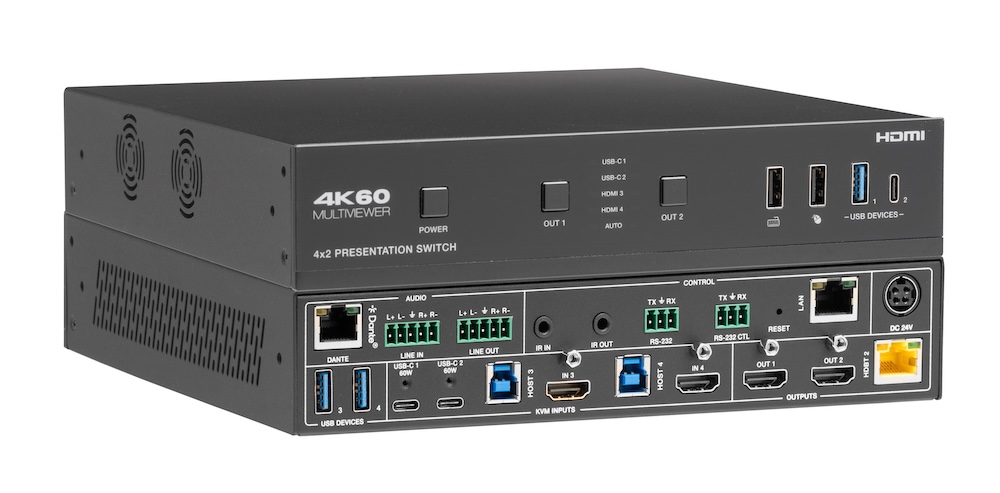
Laptops at the table need video, power, USB and network. Put that on one USB-C input at the switch rather than an HDMI cable and a bag of adapters.
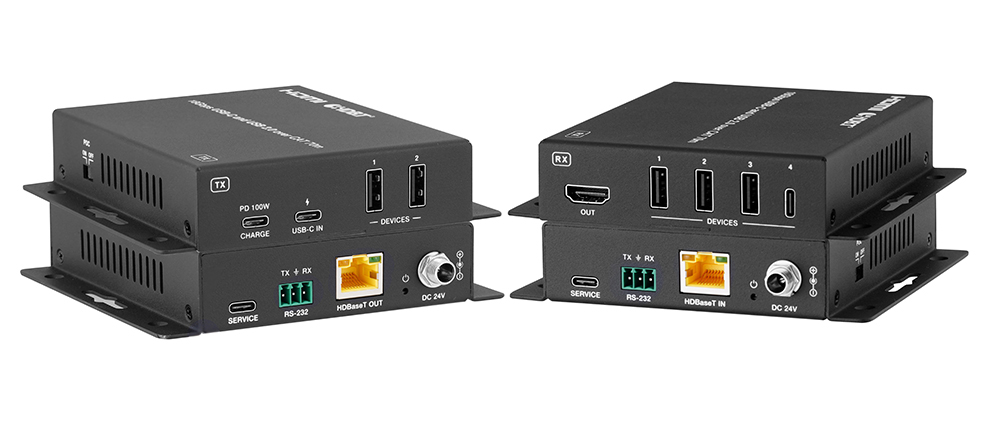
A BYOD room gets designed around the display, the room camera, and the network — and then the actual connection between the laptop and all of it is…
KanexPro sells direct to dealers, resellers, installers and integrators, and through distribution. Whichever way you buy, the same engineers answer the phone.
The trade store: your own account, live stock, reordering, and a first look at new products.
Go to the trade store →Distribution and authorised resellers across the US and beyond.
See where to buy →Design help on extenders, matrix and AV over IP before you spec it.
Ask an engineer →